Use these free risk analysis templates for Word to organize potential problems, assess their significance and record the actions needed to manage them. A useful assessment explains the risk, existing controls, remaining concerns and who is responsible for the next step.
The collection contains six Word (.docx) documents, supplied in ZIP files. They are not interchangeable: the downloads include workplace assessment forms, a privacy impact reference, a completion tracker, a resident-care checklist and an identity-verification risk example. Read the notes before choosing a file.
Free Risk Analysis Templates and Related Assessment Forms
Extract the ZIP file, open the document in Word and save a working copy. Replace sample instructions and organizational references. These layouts do not supply a validated scoring method, establish compliance or replace the specialist assessment needed for a particular activity.
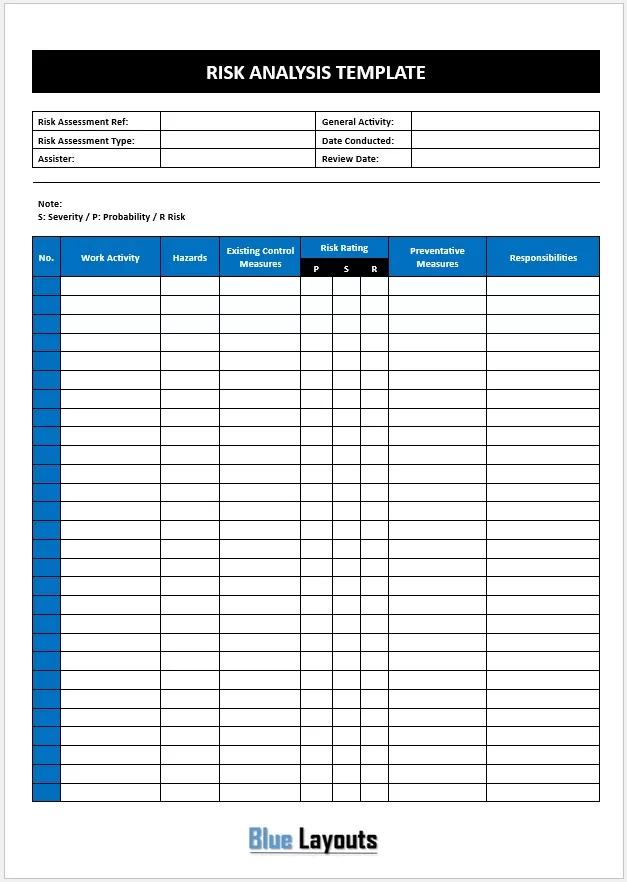
01. Work Activity Risk Assessment
Includes assessment identification, activity, date and review details, plus hazards, existing controls, probability, severity, risk rating, preventative measures and responsibilities.
Use and review note: A starting point for documenting work-activity hazards. Define the rating scale, add who may be affected and include action deadlines and residual-risk fields where needed.
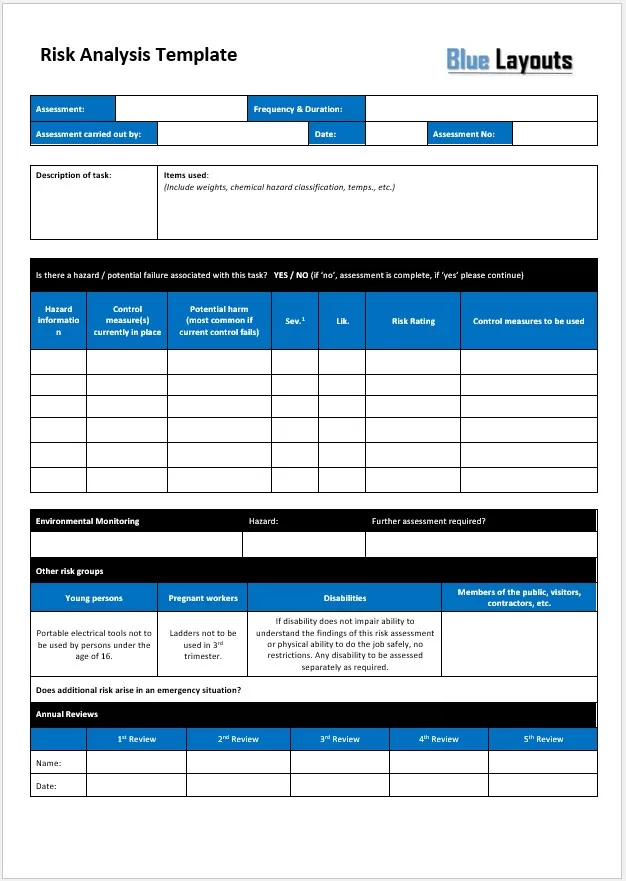
Records task description, frequency and duration, items used, hazards, existing controls, potential harm, severity, likelihood, further controls, emergency considerations and review entries.
Use and review note: Contains specific statements about young workers, pregnancy, disability, tools and ladders. Do not adopt these as universal safety rules; have a competent assessor review the actual task, people and applicable requirements.
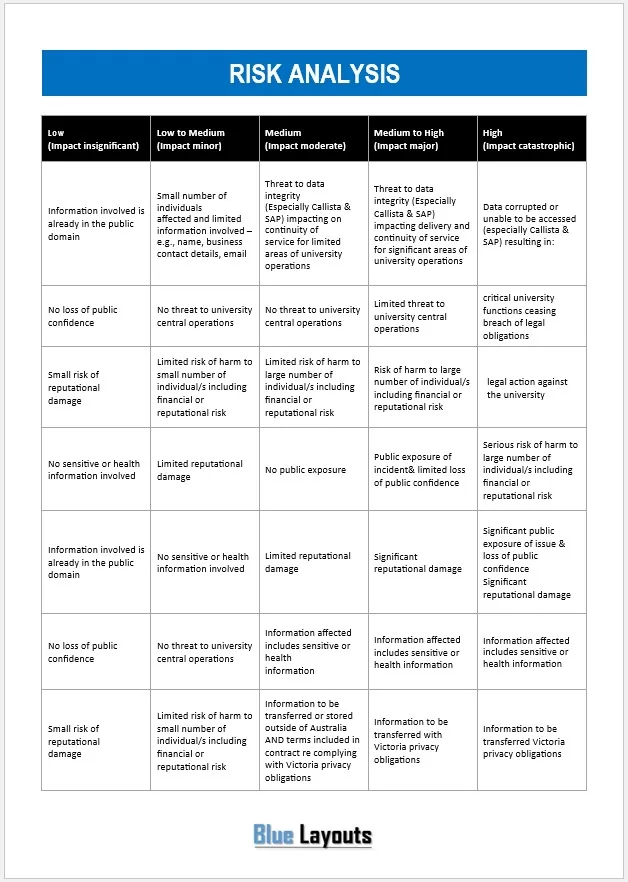
Provides five impact categories with examples involving information sensitivity, affected individuals, integrity, service continuity, reputation and overseas transfer.
Use and review note: A context-specific impact reference, not a complete risk register. Replace university-system and Australian/Victorian references as appropriate. Do not treat it as a current legal test for data transfers.
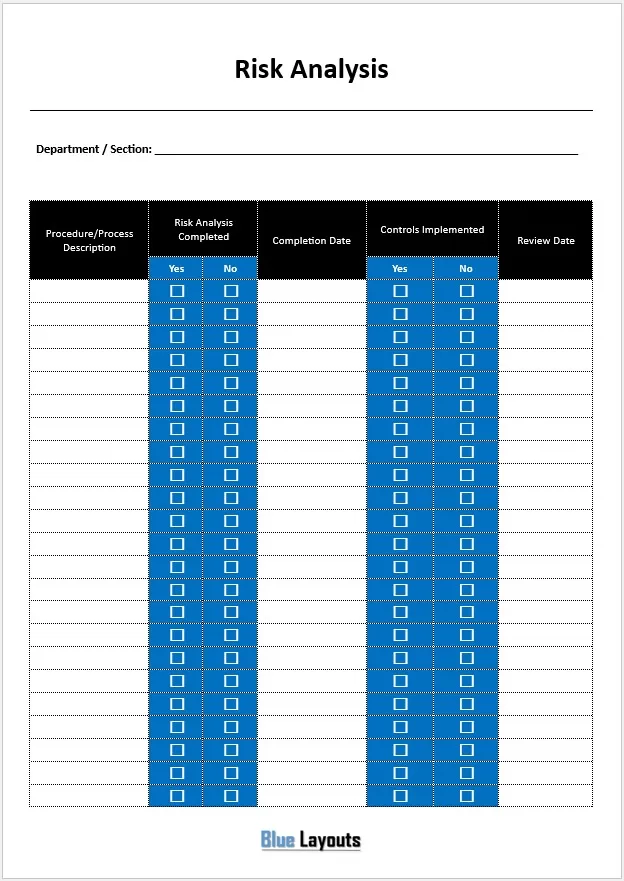
A department-level table listing procedures or processes, whether analysis is completed, completion dates, whether controls are implemented and review dates.
Use and review note: Tracking the status of multiple assessments. Keep the underlying risk analysis separately; a checked completion box does not show that controls are effective.
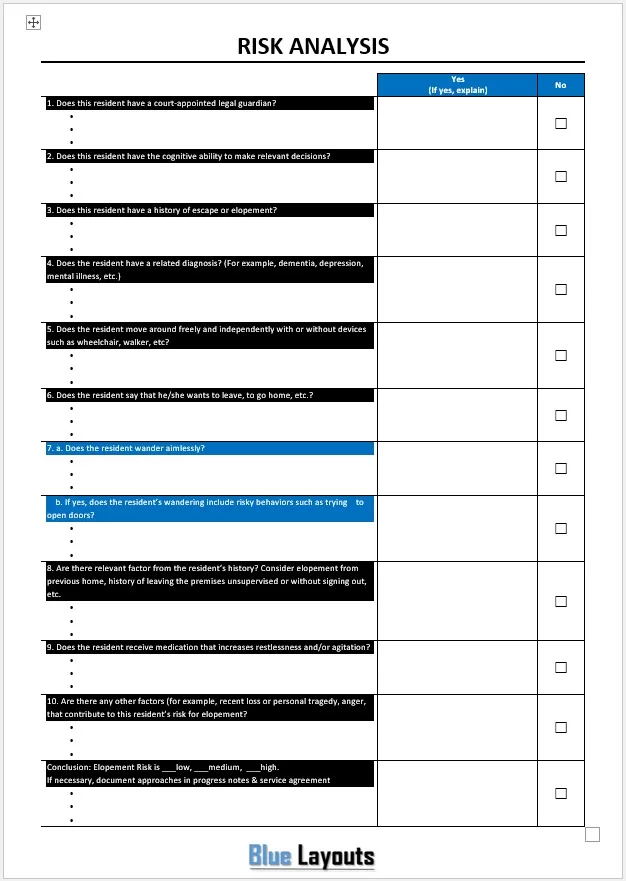
05. Resident Elopement Risk Checklist — Specialist Example
A care-setting questionnaire about a resident’s circumstances and potential for leaving unsupervised, with a low/medium/high conclusion.
Use and review note: This is not a general business risk template or a verified clinical screening tool. Use a care provider’s approved assessment process and appropriately qualified staff; do not make care or restriction decisions from this sample alone.
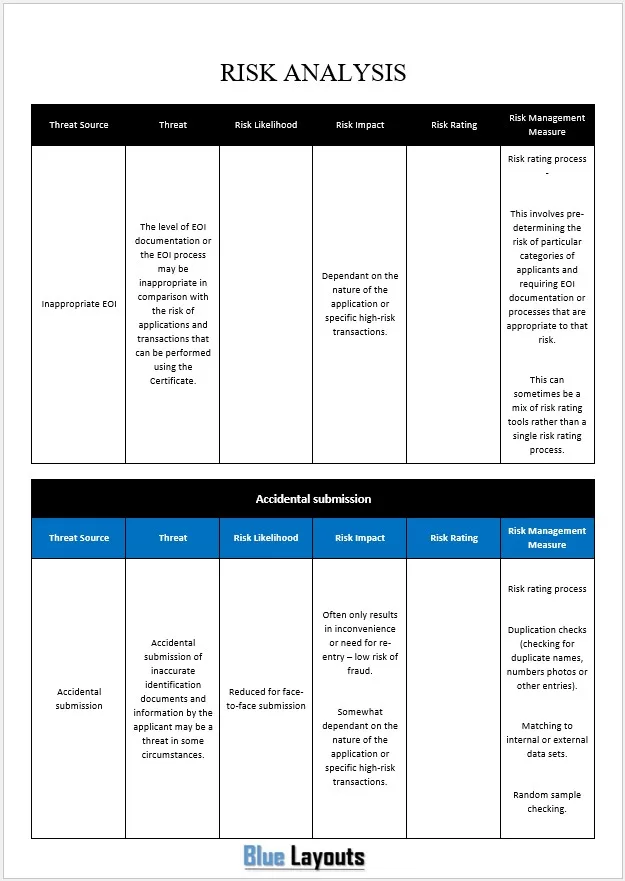
06. Identity Verification and Certificate Risk Example
A populated table covering threat sources, likelihood, impact, ratings and management measures for evidence-of-identity checks and certificate-related processes.
Use and review note: An example of security risk documentation. Adapt the identity and certificate context, validate the assumptions and controls, and add owners, due dates and review evidence.
Risk analysis examines uncertainty and its possible consequences for a stated objective. It considers what could happen, how likely it is, what impact it could have and how existing controls affect that assessment. The result supports a decision about further action.
Risk assessment is often used more broadly to include identifying and evaluating risks. Risk management also includes implementing responses and monitoring results. A completed form is a record of the work, not proof that the risk has been controlled.
How to Prepare a Risk Analysis
Define the scope. Identify the activity, process, system or project being assessed, its objectives and the assessment period.
Describe the risk clearly. Explain the cause or condition, the possible event and its consequence. Avoid labels such as “supplier risk” without further detail.
Identify affected people or objectives. Record the relevant effect on delivery, cost, information, service or people, according to the assessment context.
Record existing controls. State what is actually in place and what evidence shows it works. Keep proposed measures separate.
Assess likelihood and impact. Apply agreed definitions and document the evidence, assumptions and uncertainty behind the rating.
Decide the response. Record the action, owner, due date, resources and escalation route. Identify who has authority to accept remaining risk.
Review after implementation. Check that the response was completed and is effective, then reassess the remaining risk and set the next review point.
For workplace safety, consult the UK HSE guidance on managing risk alongside the requirements relevant to your location and activity. For information-system assessments, NIST SP 800-30 provides a more detailed risk-assessment reference. These sources address different contexts; neither makes every sample on this page suitable for every use.
Use Likelihood and Impact Scores Carefully
Some methods multiply a likelihood score by an impact score to help prioritize discussion. If you use that approach, define the scales, assessment period and rating bands first. A score of 3 must mean the same thing to everyone using the form.
A qualitative score is not a measured probability, expected financial loss or universal acceptance threshold. Two risks can receive the same score while requiring different responses. Consider serious consequences, dependencies and uncertainty rather than relying on the number alone.
Inherent risk: Risk assessed before the specified controls are considered; document exactly what this means in your method.
Current residual risk: Risk remaining with controls that are implemented and operating.
Target residual risk: The expected position after planned measures, which still needs verification.
Do not lower the current rating merely because someone has proposed a control. Record the planned effect separately until implementation and effectiveness have been checked.
Risk Analysis Example: Supplier Delay
This fictional project example illustrates a clear risk entry. It is not a safety or clinical assessment.
Illustrative project risk entry
Risk ID
R-01
Risk statement
Because the key component has a single supplier, a late delivery could delay installation and the planned launch.
Existing controls
Confirmed purchase order and weekly supplier check-ins.
Current assessment
Moderate likelihood and major schedule impact, based on the supplier’s revised lead-time estimate and the installation dependency.
Additional response
Check an approved alternative source and assess whether the installation sequence can be changed.
Owner and deadline
Procurement Lead; options review due [Date].
Escalation trigger
Supplier cannot confirm dispatch by the agreed cutoff date.
Review evidence
Updated delivery confirmation, alternative quote and revised schedule assessment.
If the delivery is already late, record the delay as a current issue and manage its consequences. Keep any remaining uncertainty, such as further delay, as a separate risk where useful.
Summarize significant risks and decisions in a project status report, while keeping the detailed analysis and action history in the underlying record.
Connect Risk Analysis to the Decision
Use the assessment to explain what could affect an option and what responding to it would involve. A business case can bring those uncertainties together with objectives, alternatives and delivery considerations.
Where a response has financial implications, a cost benefit analysis can help organize the comparison. Financial value alone does not determine whether a safety, legal or other mandatory requirement can be left unaddressed.
Common Mistakes to Avoid
Copying sample hazards or controls without checking the actual activity.
Using a rating scale without clear definitions or a time horizon.
Recording “training” or “monitoring” without specifying what will happen and who is responsible.
Assuming a completed assessment means the controls were implemented.
Confusing a planned risk reduction with the verified current position.
Leaving actions without owners, deadlines or review evidence.
Reusing specialist health, privacy or safety forms outside their intended context.
Frequently Asked Questions
Are these risk analysis templates available in Excel?
The six verified ZIP downloads contain Word (.docx) documents. They do not include Excel formulas, automatic scoring or a live risk dashboard.
Which file is best for a general workplace assessment?
Template 01 provides a work-activity hazard table. Template 02 has more task-level detail but also contains specific sample statements requiring competent review. Choose according to the actual assessment requirements.
Is Template 04 a risk register?
It tracks whether assessments and controls have been completed. It does not provide the underlying risk descriptions, likelihood, impact and response detail needed for a full register.
Are the templates certified or compliance-approved?
No such verification is provided. Several contain specialist or organization-specific material. Review the method and content against the actual activity and applicable requirements.
How often should I review an assessment?
Set a review schedule appropriate to the context and reassess when relevant conditions, evidence or controls change. Do not wait for a scheduled date when a new issue shows that the existing assessment may no longer be reliable.
Can I export the completed document to PDF?
Yes. Check the Word layout, remove sample instructions and export a dated PDF if needed. Retain the editable version and keep track of subsequent revisions.