Use these free cost benefit analysis templates to compare a proposed project’s expected costs, savings and other benefits before making a decision. A clear analysis shows what you expect to spend, what you expect to gain and which assumptions could change the outcome.
The collection includes six editable Word documents (.docx), supplied in ZIP files. Choose a financial summary, an alternatives review or a qualitative scoring layout. These are document templates, not Excel calculators; enter and verify your calculations separately.
Download a ZIP file, extract it and open the enclosed Word document. Replace the sample company details, instructions and placeholder amounts. Adapt each layout to your decision, reporting period and review process.
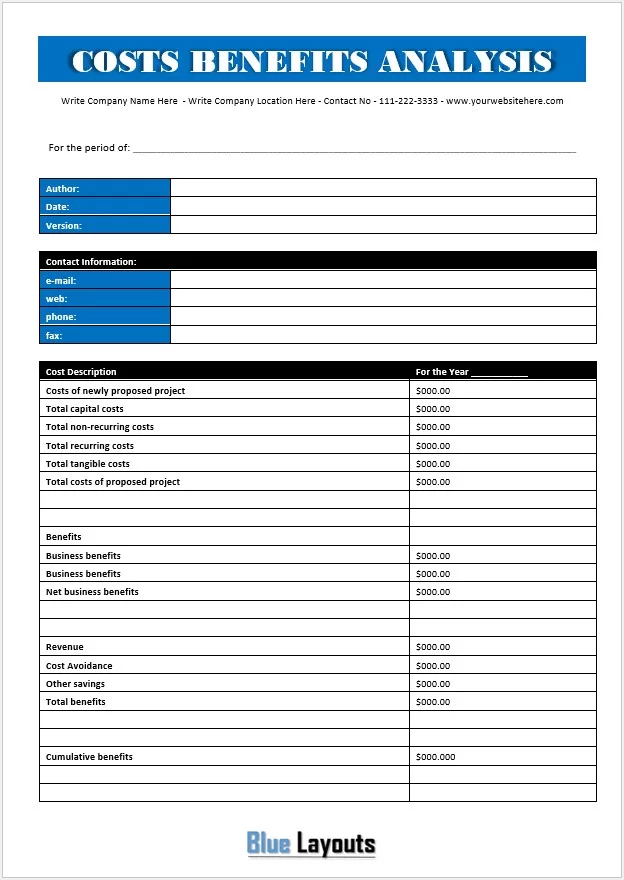
01. Project Cost and Benefit Summary
Format: Word (.docx), inside a ZIP file.
A financial summary with author, date and version details, plus fields for capital, recurring and non-recurring costs, revenue, cost avoidance and other savings.
Before using it: Use mutually exclusive cost categories. Capital, tangible and non-recurring costs can overlap, so do not add the same spending more than once.
A comparison document with a do-nothing option, rankings, reasons, life-cycle costs, tangible and intangible benefits, and review signatures.
Before using it: Check the alternative numbering and add missing sections as needed. Define the financial gain used in its ROI field; use net gain rather than total benefits when calculating a net-return percentage.
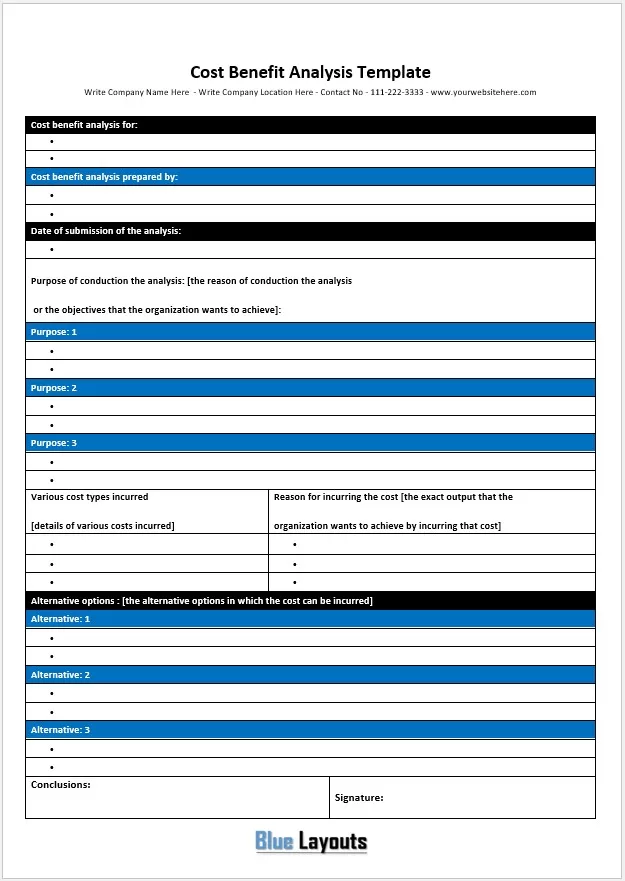
A concise narrative form for identifying the analysis, its objectives, cost types, reasons for spending, alternatives and conclusions.
Before using it: Add a monetary comparison table if the decision requires numerical evidence; the narrative fields alone do not establish financial value.
A repeated comparison layout with high, medium and low impact scores, benefit and cost columns, ratios and rankings.
Before using it: A ratio of impact scores is a qualitative aid, not a monetary benefit-cost ratio. Define the scoring rules and use the same scale for every alternative.
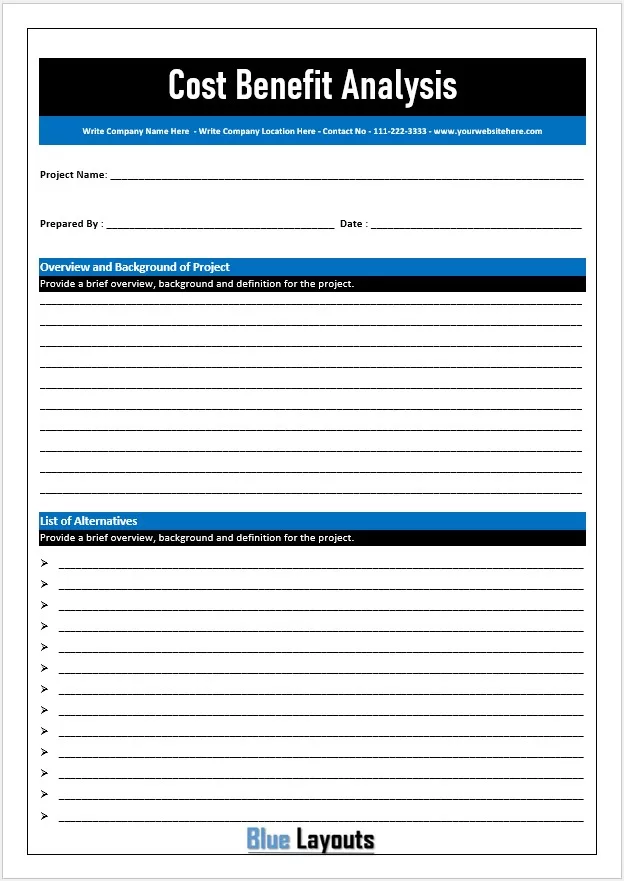
A simple document for recording the project name, preparer, date, background and possible alternatives.
Before using it: Use it to define the decision first, then add itemized costs, benefits and calculations or combine it with a more detailed layout from this collection.
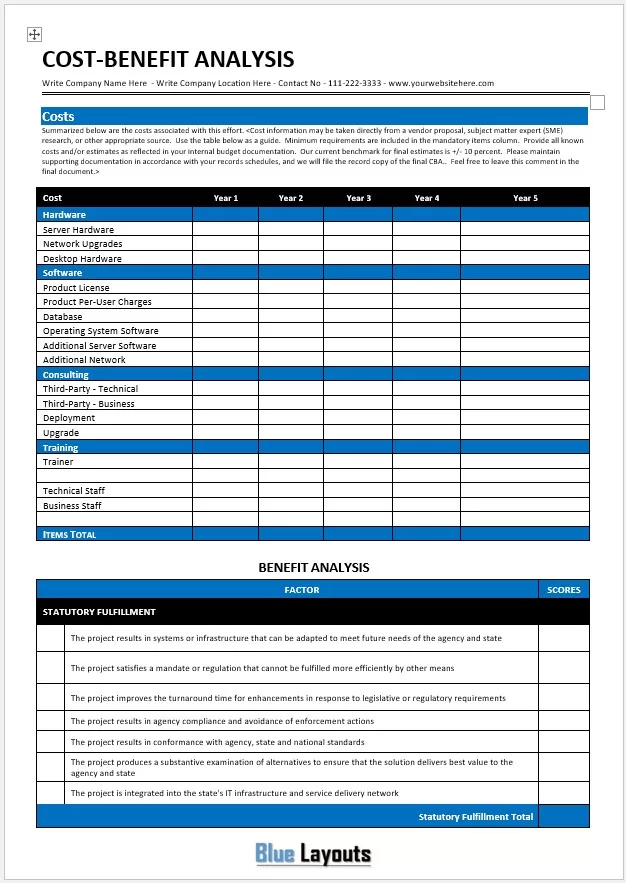
A detailed document with five-year cost columns for hardware, software, consulting, deployment, training and staff. Benefit sections cover statutory fulfillment, strategic alignment, agency impact and financial analysis.
Before using it: The wording and scoring thresholds are oriented toward government IT projects. Replace agency references, sample estimate tolerances and scoring thresholds with criteria approved for your organization; they are not universal standards.
A cost benefit analysis compares the costs and benefits of a proposed action against a defined baseline, such as continuing with the current process. It helps explain whether the expected additional value justifies the additional resources required.
For a business decision, benefits may include reduced spending, fewer errors or additional contribution from sales. Nonfinancial effects, such as service quality and staff workload, also matter. Record those effects separately when a credible monetary value is unavailable.
How to Complete a Cost Benefit Analysis Template
Define the decision and baseline. Describe the problem, the current approach and the alternatives. Continuing as you are may still involve maintenance costs and operational risks. A business requirements document can help define the outcomes each option must deliver.
Choose a common time horizon. Compare every option over the same period and in the same currency. Include implementation time and any delay before benefits begin.
List incremental costs. Include purchase, setup, integration, training, staff time, recurring subscriptions, support and eventual transition costs where applicable. Use a project cost summary template to organize the supporting estimates.
Estimate incremental benefits. Document the quantity, rate and source behind each estimate. For time savings, show hours saved multiplied by a justified hourly value. Distinguish productive capacity released from actual payroll savings.
Compare financial results. Calculate net benefits and a clearly defined benefit-cost ratio. For a multi-year comparison, discount future amounts to a common date and report net present value.
Test uncertainty. Recalculate with higher costs, lower benefits and a delayed start. Show whether the recommendation changes under plausible assumptions.
Write the recommendation. Explain the preferred option, risks, nonfinancial effects, evidence gaps and approval conditions. Assign an owner and review date for checking actual results.
When supplier quotes are a major input, use a price comparison analysis template to compare equivalent specifications, quantities and included services before transferring the figures into your analysis.
Useful Cost Benefit Analysis Formulas
Financial measures and their meaning
Measure
Calculation
How to use it
Net benefit
Total benefits − Total costs
Shows the surplus for the stated period and assumptions.
Benefit-cost ratio (BCR)
Total benefits ÷ Total costs
For a simple undiscounted comparison. A value above 1 means modeled benefits exceed costs.
Simple net-return percentage
(Total benefits − Total costs) ÷ Total costs × 100
State the period and definition when labeling this as ROI.
Present value of an amount
Amount in period t ÷ (1 + r)t
Use a discount rate r consistent with the length of each period.
Net present value (NPV)
Present value of benefits − Present value of costs
Compares costs and benefits occurring at different times.
Discounted BCR
Present value of benefits ÷ Present value of costs
Document which items are classified as benefits and costs.
Use positive cost totals in the denominators above. A zero cost total makes the ratio undefined. For multi-year work, choose a discount rate appropriate to the decision and use nominal rates with nominal amounts or real rates with inflation-adjusted amounts consistently. Do not mix the two approaches.
Cost Benefit Analysis Example: Replacing a Manual Process
Suppose a small business is comparing a proposed system with its current manual process over one year. The figures below are illustrative incremental amounts, with no discounting.
Illustrative first-year costs and benefits
Item
Amount
Setup and migration cost
$2,000
Training cost
$1,000
Annual subscription cost
$1,200
Total first-year costs
$4,200
Value of productive time released: 200 hours × $25
The base case is favorable, but $5,000 of its benefits represents staff capacity rather than necessarily cash saved. Confirm how that time will be used. If total benefits are 30% lower, they fall to $4,200 and the modeled net benefit becomes zero. Also verify that the rework benefit does not count the same hours twice.
Common Mistakes to Avoid
Comparing different scopes. Include equivalent services, operating periods and required features for each option.
Counting benefits twice. Time saved, lower labor costs and greater output may overlap. Explain how each benefit is distinct.
Using revenue as profit. Additional sales usually have associated delivery costs; use the relevant incremental contribution when estimating the financial benefit.
Including sunk costs. Past spending that cannot be recovered should not determine the choice between future alternatives.
Treating scores as money. Keep qualitative rankings separate from dollar-based ratios and financial returns.
Relying only on a ratio. A higher BCR can accompany a smaller net benefit. Compare NPV, budget limits, feasibility and nonfinancial requirements as well.
Frequently Asked Questions
Are these cost benefit analysis templates available in Excel?
The six downloads on this page contain Word (.docx) documents. They provide editable layouts for presenting an analysis. Use a separate spreadsheet for calculations, then transfer the checked figures into your chosen document.
Which template is best for a short report?
Template 03 suits a brief narrative report. Template 01 provides a financial summary, while Template 02 supports comparing alternatives and recording review signatures. Choose according to the information your decision requires.
How should I include intangible benefits?
Describe the benefit, who receives it and the evidence supporting it. Use a consistent qualitative scale if helpful. Only include a monetary estimate in financial totals when you can explain and support the valuation.
Is cost benefit analysis the same as break-even analysis?
No. Cost benefit analysis compares an action’s expected costs and benefits against a baseline. A break-even analysis estimates the sales needed to cover fixed and variable costs. The two analyses can answer different questions about the same proposal.
Does a benefit-cost ratio above 1 mean a project should be approved?
It means the included benefits exceed the included costs under the model’s assumptions. Approval also depends on the reliability of those assumptions, funding, delivery capacity, risks and requirements that cannot be reduced to money.




Pingback: Payback Period Calculator for Excel: Template & Formula