Choose from 10 printable grading rubric samples for Word to adapt for projects, writing, presentations, and portfolio review. Each sample has its own preview and ZIP download below. The collection includes both performance-level matrices and a points-based project checklist.
These are completed examples with assignment-specific criteria, not ten blank versions of the same form. Review the learning goals, descriptions, scoring, and sample instructions before sharing one with students.
Formats: samples 01, 02, 03, 04, 06, and 07 contain older Word .doc files; samples 05, 08, 09, and 10 contain .docx files. Each ZIP contains its corresponding Word document.
Download the relevant sample below, extract the ZIP, and save an edited copy. These documents are manually completed assessment layouts, not automatic grading tools.
Download the Printable Grading Rubric Samples
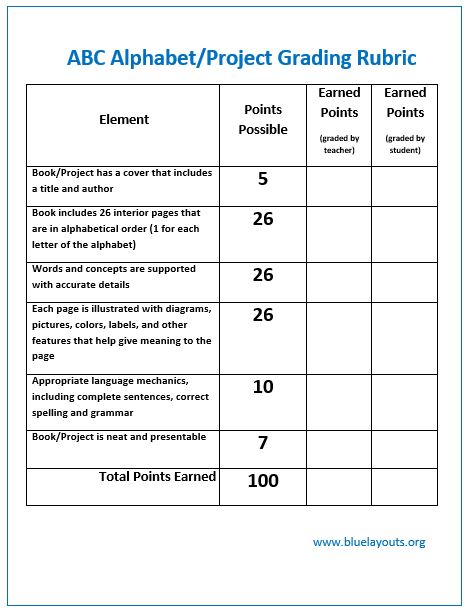
Sample 01: Science Alphabet Book / Project
A project checklist with possible points and teacher/student score columns. Replace the sample due date, grade weighting, and late-work penalty.
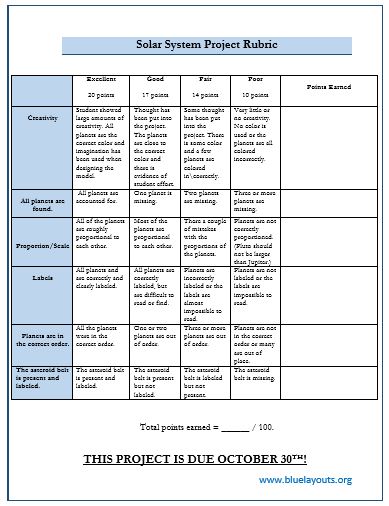
A model-project rubric including creativity, completeness, proportion, and labeling. Review the science wording, including the Pluto reference, against your assignment.
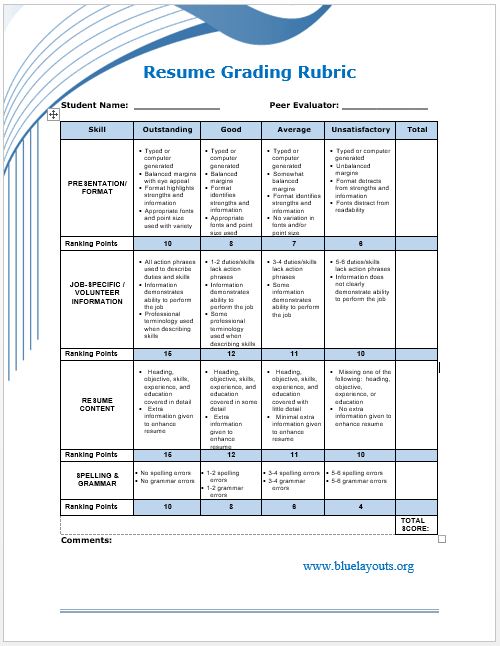
A rubric for a student resume assignment with presentation, job-related information, and content criteria. It includes different point values; check the weighting.
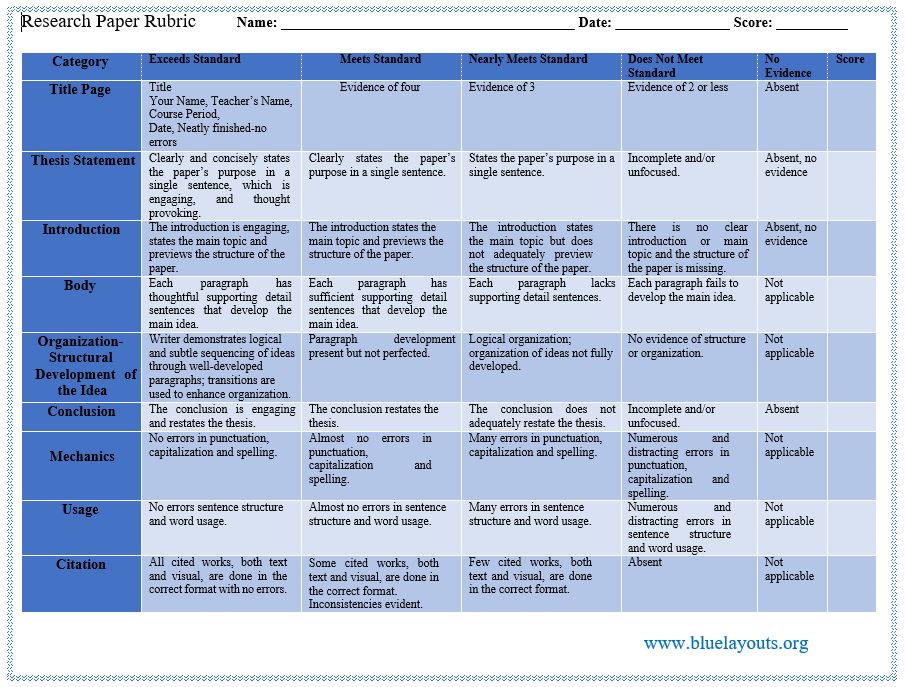
A multi-criterion paper rubric covering elements such as title page, thesis, introduction, body, and organization. Adapt citation and presentation requirements to your course.
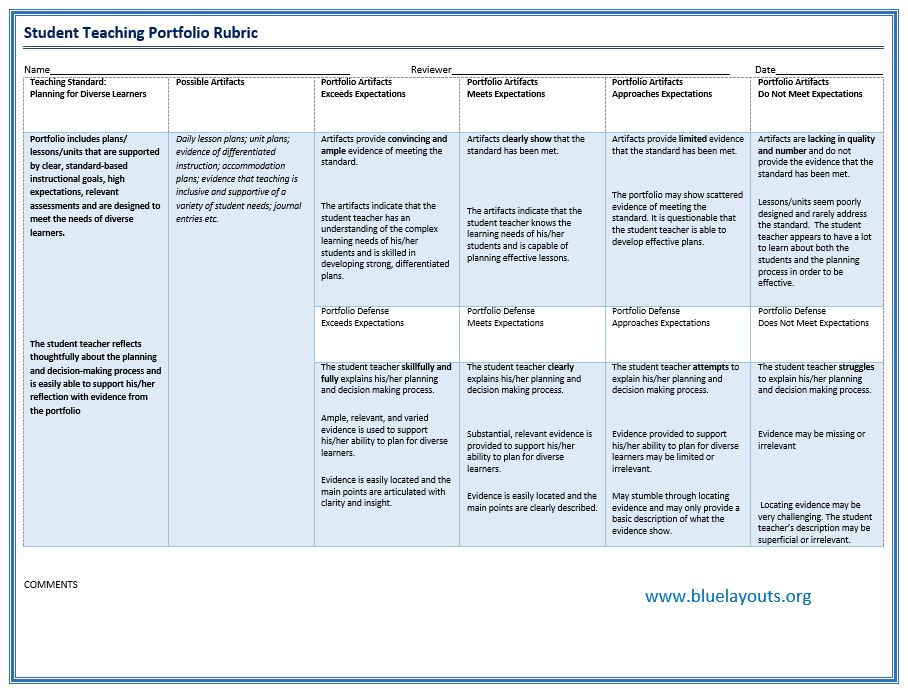
A portfolio-review rubric with teaching-standard statements, possible artifacts, and achievement descriptors. It is not a verified assessment for a particular certification program.
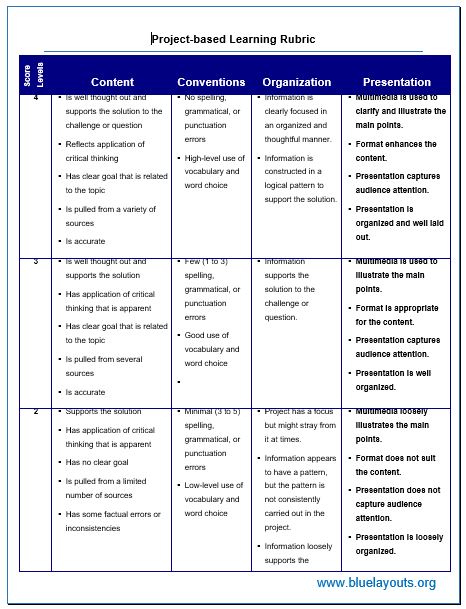
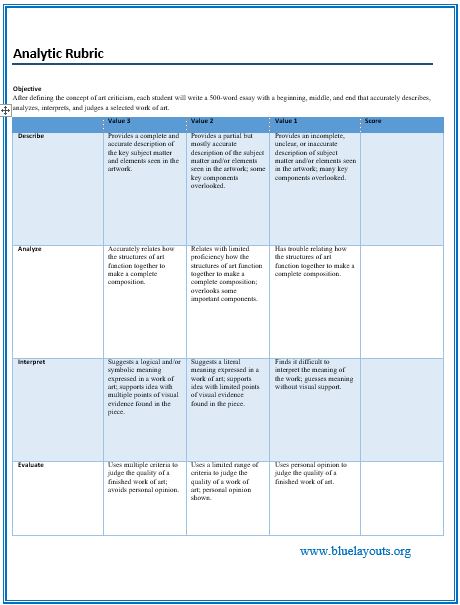
An analytic rubric scores separate criteria using performance descriptions. A holistic rubric gives one overall judgment using a description for each level. A checklist records whether required elements are present; it may also assign points.
The samples on this page include different structures. For example, sample 01 is a project checklist with points, while sample 08 has separate art-criticism criteria and level descriptions. Choose the structure that matches the evidence you need to assess.
How to Customize a Grading Rubric in Word
Define the task. State what students will submit or demonstrate and which learning outcomes matter.
Select relevant criteria. Remove sample criteria that do not assess those outcomes. Separate distinct skills rather than combining several judgments in one row.
Write observable descriptors. Describe what the work demonstrates at each level instead of relying only on labels such as Good or Poor.
Set points and weights. Explain the maximum score, any weighted criteria, and how the result relates to the assignment grade.
Replace old instructions. Check dates, names, paper sizes, penalties, recording terminology, and course-specific requirements.
Trial the rubric. Apply it to a few example responses. Resolve unclear wording and discuss interpretations if several people will mark the work.
Share the final version. Give students the criteria and scoring explanation before they complete the assignment.
For organizing course expectations and deadlines, see the course syllabus and schedule template. Keep the rubric consistent with the assignment instructions and stated grading approach.
Example of a Clear Performance Descriptor
For an evidence-use criterion, a high-level descriptor might say: “Uses relevant evidence for the main claims and explains how that evidence supports the argument.” A developing-level descriptor might say: “Provides some evidence, but its connection to the claims is incomplete or unclear.”
Adapt descriptors to the task and student level. Check that neighboring levels describe meaningful differences and that students can understand the language.
Check the Scoring Before Use
Some samples contain weighted points; others require you to define the scoring. Do not assume every row has the same maximum or that level numbers translate directly into percentages.
For example, four equally weighted criteria worth up to 4 points each give a maximum of 16. A score of 12 is 75% of those available points. That arithmetic does not establish the course’s letter-grade boundaries; apply the grading approach you have actually specified.
Define how missing evidence, not-applicable criteria, and incomplete submissions are handled. Keep the final result and supporting feedback together, then use a grade book template to record the appropriate assignment result.
Give Feedback Alongside the Score
Mark the descriptor supported by the work and add a brief evidence-based comment. Identify a strength and a specific next step, rather than giving only a total. If students use a rubric for self-review or peer feedback, explain that role and how it relates to the final assessment.
A binder cover template can help label a physical portfolio or assessment folder. Keep completed student assessments accessible only to the intended reviewers.
Editing and Printing Tips
Keep an original: save a separate working copy and identify its assignment and version.
Check older files: review .doc layouts after opening; save a .docx copy if useful and verify the converted layout.
Preserve readability: widen the layout or use additional pages rather than making detailed descriptors too small.
Review page breaks: keep headings and relevant row content together where practical.
Check all pages: a preview image may not show every instruction or scoring section in the document.
Frequently Asked Questions
Are all ten samples Word documents?
Yes. Six downloads contain .doc files and four contain .docx files. Each sample is supplied in its own ZIP.
Are these blank rubric templates?
No. They contain subject- or assignment-specific wording. Edit the criteria, descriptors, points, and instructions for your own task.
Do the files calculate grades automatically?
They are document-based scoring layouts, not automated grade calculators. Check all totals and any grade conversion separately.
Can I use the interview rubric for hiring?
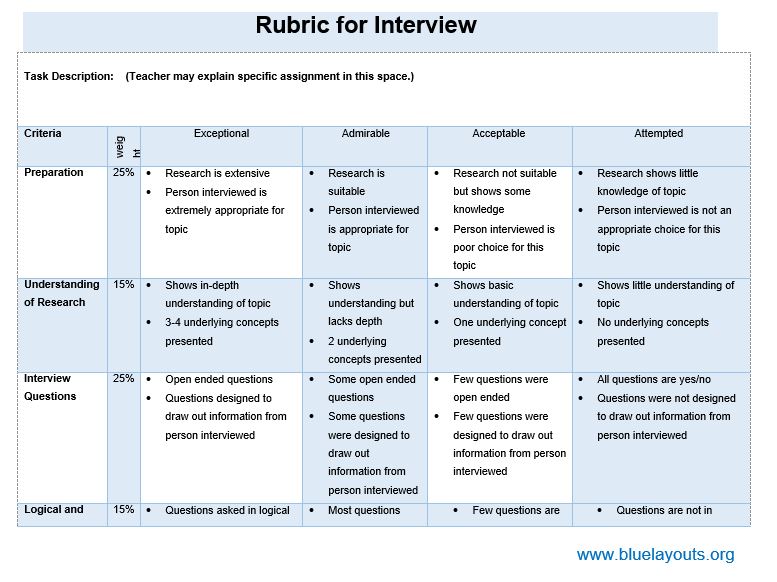
Sample 06 assesses an educational interview assignment, including research and question design. It is not a ready-made employee selection scorecard.
Can students use the samples for self-assessment?
You can adapt them for that purpose. Sample 01 already has teacher and student scoring columns; explain how self-scores will be used.
Can I export a PDF?
Yes. After editing in Word, check the layout and export a PDF. The downloads themselves contain Word files rather than separate PDF versions.




Pingback: MLA Format Templates for Word: Downloads & Formatting Guide