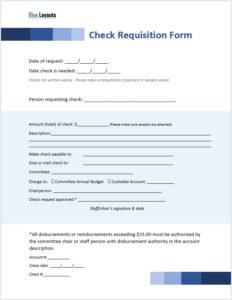
Request funds for a business expense with this free cash request slip template for Word. The form records the requester, amount, itemized purpose, previous-request clearance, and approval details. Customize the labels to match your organization’s process, then complete it digitally or print a blank copy.
A cash request asks for funds; it is not proof that money has been paid or received. Keep the approval, cash issue, and later expense settlement clearly identified in your records.
This is a manually completed form. It does not calculate line items, assign request numbers, route approvals, or update a cash ledger automatically.
Cash Request Form Preview
The original design includes sample branding and Approved By, Received By, and Requested By blocks. Each block repeats an “Approved Amount” label; review those labels before use.
When to Use a Cash Request Slip
Use the form when an employee needs approval for an advance or funds for a defined business purpose, such as supplies, a local purchase, or an approved event expense. State what the money will cover and provide enough detail for a reviewer to assess the request.
For money already received, use an appropriate cash receipt template. If an employee has already paid an expense personally, follow your reimbursement process rather than presenting it as an unspent advance.
Fields Included in the Template
Section
What to record
Company details
Your organization’s name, tagline if needed, address, email, and phone
Date and request number
The submission date and a reference assigned under your numbering process
Name and designation
The employee requesting the funds and their role
Requested amount
The total being requested, with the currency stated
Request detail
Serial number, description, unit, amount, and comments for each item
Previous request
The prior request reference, amount, and clearance status where relevant
Partial clearance
The amount cleared and the remaining amount for the referenced prior request
Signature blocks
The responsible people, dates, and amounts appropriate to each stage
The original “Unit” column is not defined. Rename it “Quantity / Unit” if that is its intended purpose. The form has no separate unit-price column; add one if you want reviewers to see quantity × price calculations.
How to Fill Out the Cash Request Slip
Save a working copy. Replace the sample company details and logo before using the form.
Identify the request. Enter the date, request number, employee name, and designation. Add a department or project reference if needed.
Explain the purpose. List specific items or activities rather than a vague description such as “office expenses.” Add supporting quotations or estimates where your process requires them.
Check the amounts. State the currency, verify each line amount, and ensure the requested total matches the itemized request.
Complete prior-request details. Reference any previous advance being reviewed. Use “Not applicable” when appropriate rather than leaving an ambiguous blank.
Submit for review. Have the requester complete the relevant declaration or signature area and send the form through the designated approval process.
Record approval and payment separately. Document the approved amount, then record the actual issue of funds and any recipient acknowledgment through your cash-handling process.
Clarify the Signature Blocks Before Use
The three blocks need labels that describe your actual workflow:
Requested By: identify the requester. Consider changing its repeated “Approved Amount” label to “Requested Amount.”
Approved By: identify the authorized approver and record the amount they approved.
Received By: specify whether this means the person receiving the application or the person receiving cash. Rename it “Request Received By” or “Cash Received By,” and use an appropriate amount label.
If the block acknowledges cash received, include the actual amount, payment date, and payment reference. Do not complete that acknowledgment before the money is received. Add a separate cashier or disbursement field if your process needs one.
Understanding Previous-Request Clearance
The original form includes Clear, Unclear, and Partial Clear options for an earlier request. Define these terms in your procedure. Clearer labels may be “Settled,” “Outstanding,” and “Partially Settled,” but use the wording your finance team understands.
For example, a prior advance of 200 with 150 accepted as settled leaves 50 outstanding. This is an illustration of the record, not a determination of which expenses should be accepted. Identify the prior request and explain how receipts, returned cash, or other approved adjustments support the settlement.
Keep that prior balance separate from the new amount requested. Use an expense report template to organize the actual expenses and supporting references after spending.
Connect the Request to Your Cash Records
After funds are issued, record the transaction in the relevant ledger. A petty cash log can support the record of small cash movements; retain the approved request under the same reference.
For planning cash needs over a period, use the cash budget worksheet. The request form supports an individual transaction, while a budget organizes expected inflows and outflows.
Printing and Recordkeeping Tips
Keep text readable: expand rows or add a referenced continuation sheet when descriptions need more space.
Check the final layout: review Print Preview after editing labels or moving signature blocks.
Identify attachments: use the request number on quotations, expense reports, and settlement records.
Retain the approved version: keep a clear record of the amount approved and subsequent payment or settlement.
Review blanks: distinguish fields still awaiting completion from fields that do not apply.
Frequently Asked Questions
Is this an Excel cash request form?
No. The download is a Word document. Amounts and totals need to be entered and checked manually.
Is a cash request slip the same as a cash receipt?
No. A request seeks funds or authorization. A receipt acknowledges money received. A request alone should not be treated as evidence that payment occurred.
Can the approved amount differ from the requested amount?
Yes, if your process permits partial approval. Record the decision clearly, explain any relevant adjustment, and distinguish the approved amount from the amount actually issued.
Can I use it for petty cash?
You can adapt it for petty cash requests. Define who approves them, how payment is recorded, and how receipts or unspent funds are reconciled.
Can I add a currency or payment-method field?
Yes. A currency field is useful wherever the amount could be misunderstood. You can also add payment method, payment reference, required-by date, department, or cost center to suit the process.