Use these seven free SWOT analysis templates for Word to organize strengths, weaknesses, opportunities, and threats around a business, project, or proposed change. Choose a guided worksheet, a four-section presentation layout, or a planning worksheet for organizing the analysis itself.
A useful SWOT explains the factors that matter to a specific decision. Start with a clear objective, support your observations with evidence, and finish by selecting actions rather than leaving the exercise as four lists.
Each ZIP contains an editable Word (.docx) document. Extract the file and save a working copy before editing. Some designs include completed sample statements or filler text; replace those with findings relevant to your own analysis.
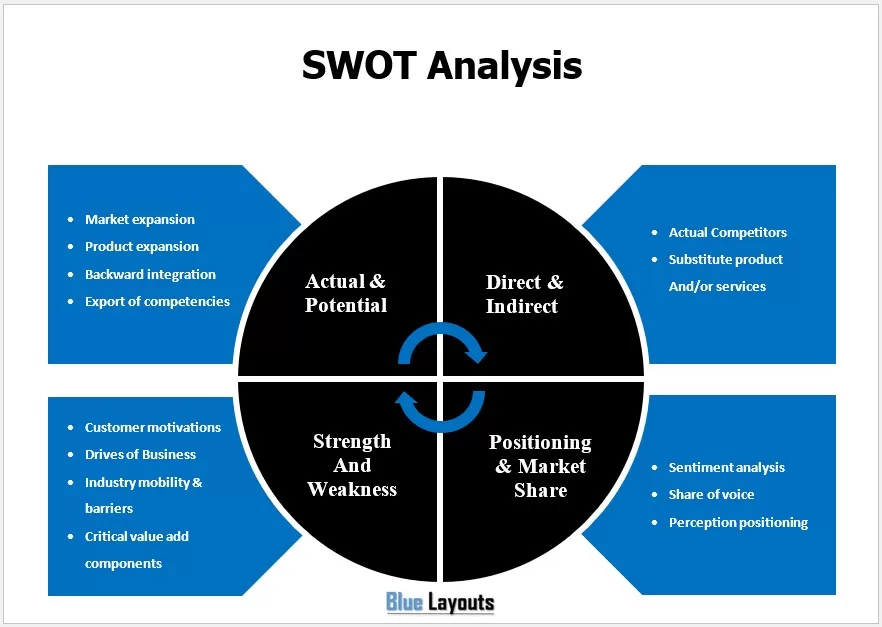
01. Market and Competitive Analysis Diagram
A landscape diagram with prompts concerning market expansion, products, competitors, customer motivations, and market positioning. Choose it for a visual discussion of market factors. If you need a conventional four-category SWOT, relabel the diagram or select one of the layouts below.
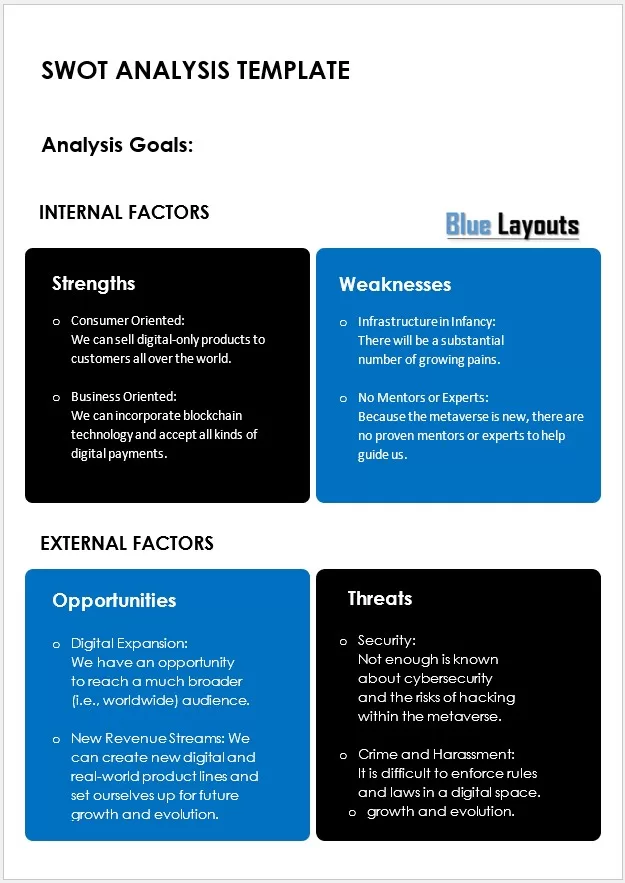
A portrait layout with an Analysis Goals field and separate boxes for strengths, weaknesses, opportunities, and threats. It distinguishes internal and external factors. Replace the metaverse-related example statements with current evidence about the business or project being assessed.
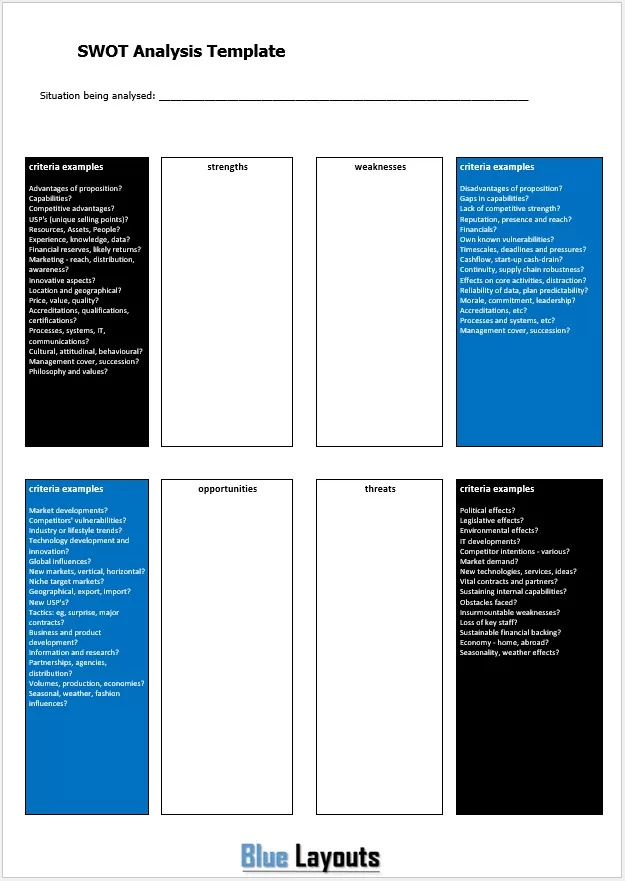
Includes a situation-being-analyzed field, four writing areas, and prompts about capabilities, resources, reputation, markets, technology, and other factors. A useful starting point when a group needs questions to guide discussion rather than a completed example.
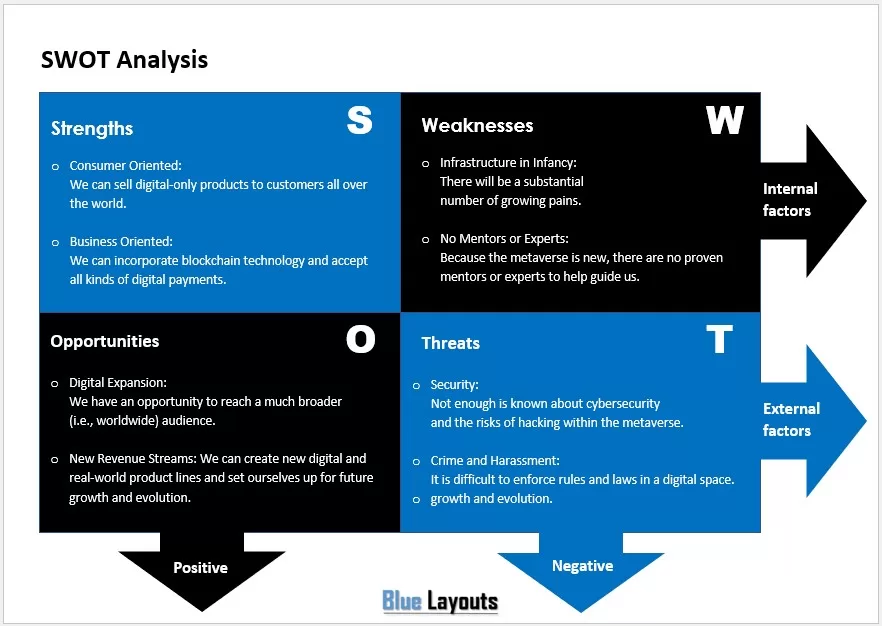
A landscape four-quadrant layout using blue and black panels, S/W/O/T labels, and internal/external and positive/negative indicators. It contains the same metaverse-themed example content used in other designs. Replace that wording with concise findings for your decision.
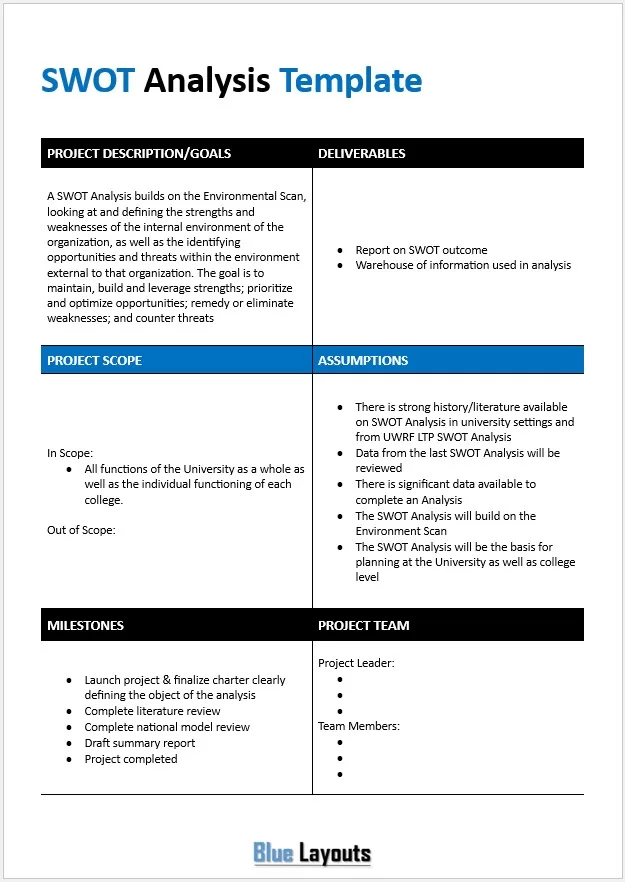
A planning form with project description and goals, deliverables, scope, assumptions, milestones, and team details. The sample refers to a university-wide analysis. Use it to organize the work of conducting a SWOT; it is not the four-quadrant findings matrix itself.
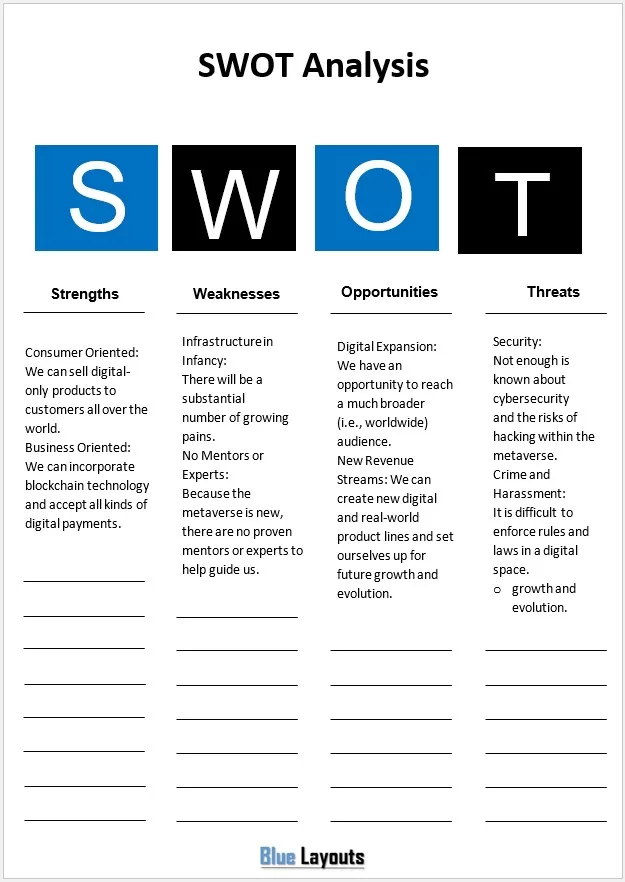
A portrait design with large S/W/O/T headings, sample statements, and ruled space beneath each column. Choose it for short, parallel lists or a printed working sheet. Replace the sample claims and keep entries brief enough to remain readable.
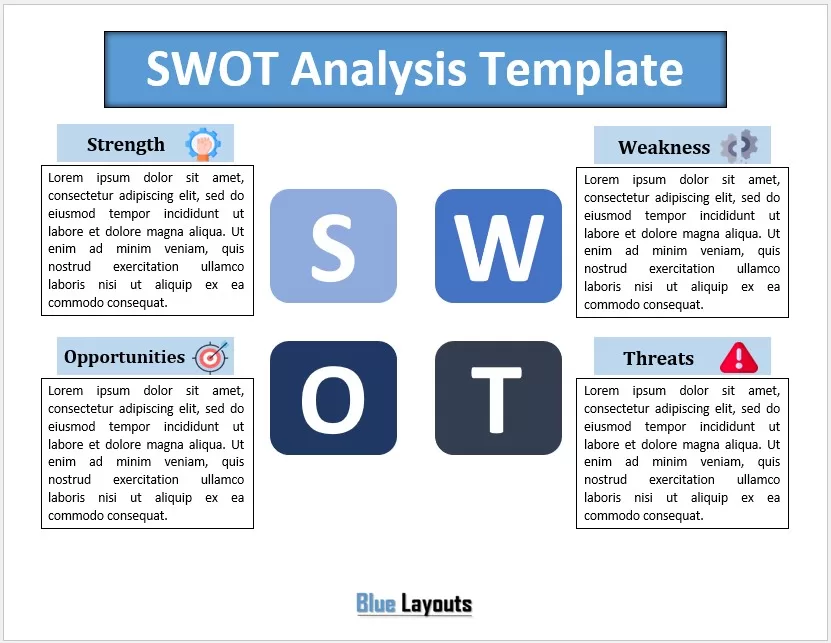
A landscape design with four labeled text panels, category icons, and large S/W/O/T tiles in the center. Replace the filler paragraphs with a small number of prioritized findings. It suits a concise summary after the analysis has been discussed.
SWOT stands for Strengths, Weaknesses, Opportunities, and Threats. Strengths and weaknesses describe internal conditions. Opportunities and threats describe external conditions relevant to the objective.
Category
Question to ask
Example factor
Strengths — internal
What capabilities or resources support the objective?
A team with relevant experience and a reliable delivery process.
Weaknesses — internal
What internal gaps or constraints make the objective harder?
Limited capacity or an inconsistent customer follow-up process.
Opportunities — external
What outside conditions could create a favorable opening?
Documented demand from an underserved customer group.
Threats — external
What outside conditions could make success harder?
A new competitor or a supplier’s announced service reduction.
State the cause precisely when an issue could fit more than one category. “Supplier closes its local warehouse” is an external threat. “We depend on one supplier and have no approved alternative” is an internal weakness. Both can matter without being the same finding.
Which SWOT Template Should You Choose?
For a first workshop: Template 03 provides questions and writing space.
For a clear four-section overview: Compare Templates 02 and 04.
For a printed list: Template 06 offers four columns with additional writing lines.
For a concise visual summary: Consider Template 07.
For organizing the analysis project: Use Template 05, then record findings in a separate matrix.
For a market-focused discussion: Review the prompts in Template 01.
How to Complete a SWOT Analysis
Define the decision. Write a specific objective, such as evaluating a weekday delivery service over the next six months. Avoid mixing unrelated products, departments, and time horizons in one matrix.
Gather evidence. Review customer feedback, operational records, available resources, competitor information, and relevant external changes. Record sources and dates in supporting notes.
Identify internal factors. List capabilities and constraints that affect the objective. Replace broad claims such as “great service” with an observable statement.
Identify external factors. Look for conditions outside the organization that could help or hinder the objective. Keep proposed actions separate from the conditions that make them attractive.
Challenge the entries. Ask whether each statement is supported, relevant, and distinct. Mark assumptions that need checking rather than presenting them as facts.
Select the important findings. Prioritize a manageable set according to likely impact, evidence, and relevance to the decision. Keep detailed research outside the summary.
Agree on next steps. Turn selected findings into options, tests, or actions with owners and review dates.
Place the final analysis within a strategic business plan when it informs wider priorities. Explain which decisions follow from the findings rather than inserting the matrix without interpretation.
SWOT Analysis Example: A Bakery Considering Office Deliveries
This fictional example evaluates a bakery’s proposed weekday office delivery service. The statements illustrate the categories; they are not research about a real business.
Category
Illustrative findings
Strengths
The bakery has standardized breakfast products and spare preparation capacity before opening.
Weaknesses
It has no established delivery route or order-cutoff process.
Opportunities
Nearby offices have requested breakfast packages for recurring meetings.
Threats
Established delivery competitors serve the same offices, and traffic could affect arrival times.
Possible response: Test a limited delivery offer with a small group of interested offices. Define order cutoffs and delivery windows before the pilot. Measure preparation time, delivery performance, customer response, and the costs of fulfilling orders.
The opportunity is the customer demand. “Launch delivery” is a possible action, which belongs in the follow-up plan. Keeping that distinction clear prevents the analysis from becoming a list of preferred solutions.
Turn SWOT Findings into an Action Plan
Consider how strengths could support an opportunity, which weaknesses must be addressed first, and how external threats might change the proposal. These combinations generate options for evaluation; they do not prove that an option will work.
Finding
Follow-up action
Completion evidence
Delivery process is not established.
Draft order-cutoff, packing, and route procedures for a limited pilot.
A reviewed procedure and a test run.
Offices have requested breakfast packages.
Confirm quantities, delivery windows, and willingness to place pilot orders.
Recorded responses from prospective pilot customers.
Delivery costs are uncertain.
Compare the pilot’s expected costs and benefits before committing resources.
A documented comparison with assumptions and a review decision.
Use an action plan template to add accountable owners, deadlines, and status. For options involving new spending, a cost benefit analysis can document the expected tradeoffs separately.
Keep the Analysis Useful
A SWOT is a structured summary of judgments at a point in time. It does not measure likelihood, establish a financial return, or determine the best strategy by itself. Use further research or evaluation where the decision needs it.
Review the matrix when important assumptions or conditions change. Retain the analysis date and decision context so a later reader understands what was considered. When editing the Word layouts, check repeated text boxes, replace sample content throughout, and inspect the exported PDF before sharing.
Frequently Asked Questions
What formats are included?
All seven downloads are ZIP archives containing editable DOCX documents for Word. Separate Excel, PowerPoint, and PDF files are not included.
Which template is best for a blank SWOT analysis?
Template 03 provides open writing areas alongside question prompts. You can also replace the sample statements in 02, 04, or 06, or the filler text in 07.
Can I use the templates for a project or personal review?
Yes. Define the objective and boundary first, then adapt the prompts. For a personal review, skills and experience can be internal factors, while external openings and competition belong in opportunities and threats.
How many points should each section contain?
Use enough to explain the important factors without repeating similar entries. A few specific, supported findings are more useful than a long list of vague claims. Keep extra research in supporting notes.
Are the sample statements current market advice?
The sample wording demonstrates a layout. Replace it with evidence relevant to your organization, market, and analysis date rather than treating it as a current assessment.
Can I print or export the analysis?
Yes. Review the text boxes, page orientation, spacing, and font size in Word, then print the document or export a PDF. Check the finished output after editing.