Choose from 10 free printable paper crown templates for Word for birthday crafts, classroom activities, pretend play, and party decorations. The collection includes tiara illustrations, royal crown designs, blue jewel effects, and princess-themed artwork.
Print a design as a decorative cutout, or mount it on a separate paper band to make a wearable crown. Compare the previews below, choose a shape, and make one test print before preparing a set.
Format: Each ZIP archive contains a Word (.docx) document with crown artwork. Extract the file and open it in Word. The designs provide decorative crown fronts; prepare a separate band if you want to wear one around the head.
You can adjust the artwork’s size in Word or add a separate name label. Some decorative text and details may be part of an image, so do not assume every letter or jewel is a separately editable object.
01. Princess Tiara with Beaded Detail
A detailed blue tiara illustration sits above “Princess” lettering. The dotted edges and central ornament suit a decorative party cutout or a centerpiece on a paper band. For easier cutting, leave a smooth border around the detailed artwork.
Two matching pale-blue tiara designs feature curled flourishes and a heart-like central ornament. Choose this sheet for a matching pair of crown fronts. Cut around the overall silhouette rather than trying to remove every small interior space.
Two matching light-blue royal crowns combine rounded panels, decorative points, and circular details. The broader shape gives a substantial front for a paper band or a crown-themed classroom display.
Two narrow tiara illustrations use delicate curls and a heart-shaped center above a dotted base. Choose this style for a lighter decorative front. Mount it on cardstock if you want more support for the fine-looking design.
Two outlined crowns feature a central blue jewel effect and decorative upper points. The design combines open areas with fine linework. Print a test copy to check that those details remain clear at your chosen size.
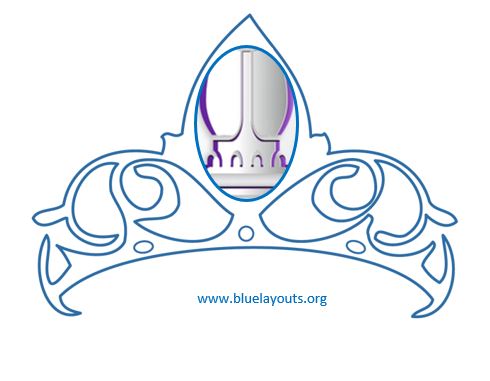
A large outlined tiara includes curled details and a prominent oval center. Use it as a decorative crown front or a paper-craft focal point. Keep a clear outer cutting border and support the piece with suitable cardstock if needed.
A broad light-blue crown uses curved points, diamond motifs along the band, and bold blue circular accents. Choose this design when you want a strong crown shape for a themed craft or classroom activity.
A dark-blue royal crown features pointed ornaments and illustrated blue jewels. It provides a colorful front for a birthday or storybook craft without needing separate jewel decorations.
An ornate tiara illustration with purple-blue jewel effects appears above “Princess” lettering. Use it for a decorative cutout, a party sign, or the front of a wearable paper crown. Allow a margin around the detailed edges when cutting.
A pale-blue crown with rounded tips, band details, and script “Princess” wording offers a softer color treatment. Test the print contrast before making several copies, particularly if using a grayscale printer.
Matching pairs: Compare designs 02, 03, 04, and 05, which show two crown fronts on each preview sheet.
Princess-themed artwork: Designs 01, 09, and 10 include that wording.
A broad royal crown shape: Compare designs 03, 07, and 08.
A delicate tiara appearance: Consider designs 02, 04, or 06.
Printed jewel decoration: Designs 05, 08, and 09 include illustrated jewel effects.
For young children doing the decorating, prepare the intricate cuts in advance and offer a broad, sturdy front with space for their own additions.
How to Make a Wearable Paper Crown
Gather your materials
You will need the printed crown front, paper or printer-compatible cardstock, an additional strip of cardstock for the band, scissors, and suitable tape or craft glue. Markers and paper decorations are optional. Have an adult help children with cutting and fitting.
Choose and print a design. Open the Word document, set an appropriate size, and print a test copy. Check that the crown front fits the band you intend to make.
Cut out the front. Follow the overall outer shape. For detailed tiaras, leave a narrow plain border to keep the piece connected and make cutting easier.
Prepare the band. Cut a separate strip of cardstock long enough to wrap comfortably around the wearer’s head with room for overlap. Join strips if one sheet is not long enough.
Attach the crown artwork. Center the crown front on the band and secure it with tape or glue. Let glue dry before fitting.
Check the fit. Hold the band in place, mark a comfortable overlap, and remove it before fastening the ends. Keep adhesive joins smooth.
Add final details. Write a name on the band or add flat paper decorations without making the front too heavy.
A decorative crown front can also be used without a band: attach it to a birthday display, a handmade card, or a classroom story board.
Printing and Sizing Tips
Match the paper and printer settings
Confirm that the document’s page size and printer settings match the paper loaded. Keep the artwork inside the printable area so the upper points and lower edge are not clipped. Check your printer’s supported paper weight before using cardstock.
Resize without stretching
Select the artwork and use Word’s picture-size controls to adjust it proportionally. Keep the width-to-height ratio consistent. The crown-front width and the band circumference are separate measurements: resize the front for appearance, then fit the band to the wearer.
Make a test before printing a batch
Use ordinary paper to check the outline, color, scale, and band arrangement. A “Fit to page” option can change the printed size, so measure the output when dimensions matter. Once you are happy with the test, print the final copies.
Personalize Your Crown Craft
Add a short name or message on the band, such as “[Name]’s Birthday,” “Royal Reader,” or “[Class Name] Story Day.” A separate text box in Word can provide a name label if there is space. Leave room between the wording and cutting edge.
Use small paper shapes from the heart shape template for decorations, or draw your own motifs. Flat paper additions keep the crown light and are easy to coordinate with the printed colors.
For a birthday craft table, pair the activity with a printable birthday card and let each participant add a personal message.
Classroom and Storytime Activity Ideas
Story characters: Make crowns for a retelling activity and ask children to describe their characters’ choices.
Patterns: Decorate a plain band with repeated colors or shapes.
Name practice: Add a name label and let learners decorate the surrounding band.
Display craft: Mount crown fronts on a board alongside short stories or drawings.
Reading celebration: Combine a crown activity with a printable bookmark that learners can keep in their current book.
Choose materials and tools appropriate for the children taking part. For younger children, use flat paper decorations instead of loose beads or small gems, and keep the activity supervised. A light paper crown needs only a few additions to look finished.
Frequently Asked Questions
What file format do these crown templates use?
All 10 ZIP downloads contain Word DOCX documents. Extract the file and open it in Word to adjust the layout before printing.
Is a PDF included?
The archives contain Word files. You can export your prepared document as a PDF after checking the size and page layout.
Do the templates include a complete headband?
The previews show decorative crown and tiara fronts. For a wearable craft, attach the front to a separate paper or cardstock band sized for the wearer.
Can I use the designs as coloring outlines?
The collection includes colored and outlined artwork, but it is not a dedicated pack of blank coloring pages. Preview the design, test a grayscale print if useful, or use a printout as a guide for drawing a simpler outline on another sheet.
Can I change the wording or jewel colors in Word?
Some wording and decorative details may be embedded in the artwork. You can add a separate name label or message, but editing the Word document does not necessarily make each part of an illustration independently editable.
How can I make a crown fit a larger head?
Lengthen the separate band or join additional strips. Check the fit before fastening it. You do not need to enlarge the decorative front by the same amount.
Which paper should I use?
Ordinary paper is useful for a test or tracing copy. Printer-compatible cardstock provides a firmer front and band. Use a weight your printer can handle and test the finished craft before making several copies.






Pingback: Free Heart Shape Template for Word: Printable & Editable