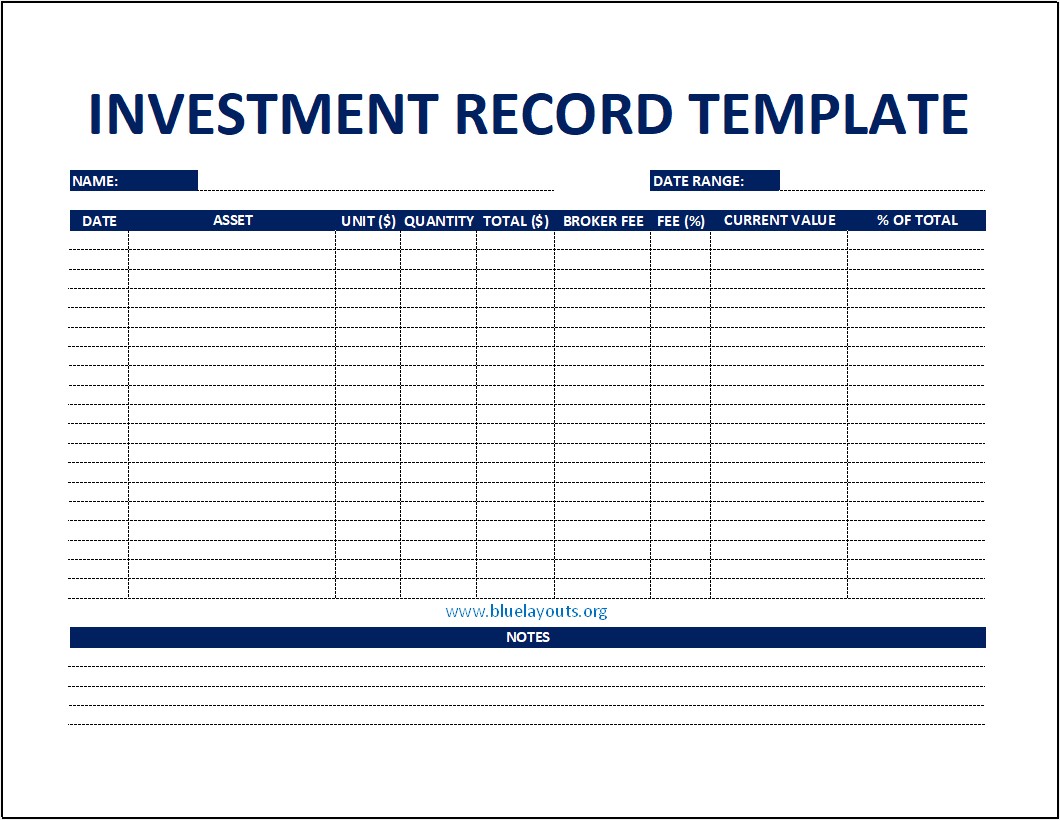
Organize investment details with this free investment record template for Excel. The sheet includes a name field, date range, and columns for assets, unit prices, quantities, totals, broker fees, current values, and percentage allocations, plus a Notes area.
Use it as a manually maintained record. The workbook has no formulas, live market prices, broker connection, performance calculations, or tax-reporting automation.
Enter or calculate amounts yourself. Although the headings include Total, Fee (%), and % of Total, the supplied cells do not contain calculation formulas.
Investment Record Spreadsheet Preview
The original uses dollar labels for unit price and total. Change these if needed and state the currency for all monetary columns.
Define What Each Row Represents
Before entering data, choose whether the sheet records transactions or a holdings snapshot. A transaction record needs an entry for each purchase, sale, or other event. A holdings snapshot shows the positions held at one stated valuation date.
The original combines purchase-style and current-value headings without defining the row convention. If you use it for transactions, add Transaction Type and supporting references. If you use it for holdings, record the remaining quantity and a common valuation date. Do not add historical purchases and a current holding together as though they were separate assets.
Fields Included in the Template
Field
How to clarify it
Date
State whether it is a trade date, settlement date, or another reference date
Asset
Identify the holding clearly, adding an identifier or ticker where useful
Unit ($)
Rename to Unit Price and identify the currency and price date
Quantity
State the shares, units, or other quantity represented by the row
Total ($)
Define whether this is gross transaction value or another amount, and whether fees are excluded
Broker Fee
Record the documented fee and currency
Fee (%)
Define the amount against which the percentage is measured
Current Value
Enter a sourced value with a valuation date
% of Total
Define the portfolio or group being measured and use a consistent valuation basis
Notes
Explain assumptions, document references, and unresolved details
How to Complete the Investment Register
Save a working copy. Add the name, account reference if needed, and reporting period. Avoid unnecessary sensitive identifiers.
Define the row convention. Label the sheet as a transaction record or holdings snapshot and adapt the headings accordingly.
Use source records. Enter details from trade confirmations, account statements, and other relevant documents.
Clarify prices and fees. Keep quantity, unit price, gross amount, and fees distinct.
Date valuation entries. Record the source and date used for current values.
Check any calculations. Verify totals and percentages manually or add and test your own formulas.
Reconcile updates. Compare the record with the relevant statement and investigate discrepancies.
Illustrative Calculations You Can Add
These examples explain possible column definitions; they are not built-in workbook calculations or investment recommendations.
Gross purchase amount: 10 units × 50 per unit = 500, before separately identified fees.
Fee percentage: a fee of 5 ÷ a defined gross amount of 500 × 100 = 1%.
Allocation: a holding valued at 600 ÷ a defined portfolio value of 3,000 × 100 = 20%.
For allocations, use values from the same date and a consistent currency basis. Do not confuse allocation percentage with return percentage. A change in value alone does not establish investment performance when purchases, sales, distributions, or fees also occurred.
Keep Supporting Records
This summary does not replace statements, confirmations, or tax records. Investor.gov recommends keeping transaction records and reviewing account statements and trade confirmations for accuracy. See its investment recordkeeping guidance.
Do not assume an annual summary makes every earlier record unnecessary. Retention depends on the record’s purpose and applicable requirements. For U.S. investment-income and basis topics, consult IRS Publication 550; other jurisdictions have their own rules.
The supplied file does not determine adjusted tax basis, capital gains, or the treatment of gifts, inheritances, or retirement accounts. Keep source documents and obtain the relevant guidance rather than treating a manually entered Total as a verified tax figure.
Related Calculation Templates
Use the basic bond valuation template for a separate fixed-coupon present-value calculation. Its model assumptions differ from recording actual holdings and transactions.
Does the Excel file calculate totals automatically?
No. The supplied workbook has no formulas. Enter checked amounts or add and test calculations yourself.
Does it retrieve current market prices?
No. Record the value source and date manually. The file has no live data feed.
Can I record several accounts or currencies?
You can add account and currency fields or use separate sheets. Do not combine different currencies in an unlabeled total.
Does it track dividends and sales?
There are no dedicated income or transaction-type fields. Add a separate transaction table if you need purchases, sales, distributions, and other events recorded distinctly.
Can I print the record?
Yes. Review the wide layout in Print Preview, repeat headings on continuation pages, and keep entries readable. Retain a blank master and a dated copy of each reviewed record.


Pingback: Free Portfolio Allocation Template for Excel