Organize a clear request with these free petition templates for Word. Compare general signature sheets, council-style examples, and an individual faculty petition, then choose the format closest to the request you want to make.
A useful petition identifies the decision-maker, explains the issue, and states a specific action. The ten downloads below provide different structures; they are not interchangeable official forms. For a court filing, election-related petition, or other formal procedure, obtain the current form and instructions from the responsible body.
Browse the ten templates | Write your petition | See a request example
Choose a Petition Format
- General group request: Compare Templates 01, 02, or 07.
- A named organizer or principal petitioner: Review Templates 03 or 06.
- Council or residents’ request: Compare Templates 04 and 05 with the recipient’s actual requirements.
- A referendum-themed example: Review Template 08 only as a reference; verify the official process separately.
- Individual academic request: Use Template 10 as a drafting starting point.
Download the Free Petition Templates
Format: Each ZIP contains an editable Word .docx document. Extract the archive and save a working copy. Replace all sample statements, names, recipient references, and return instructions before sharing the petition.
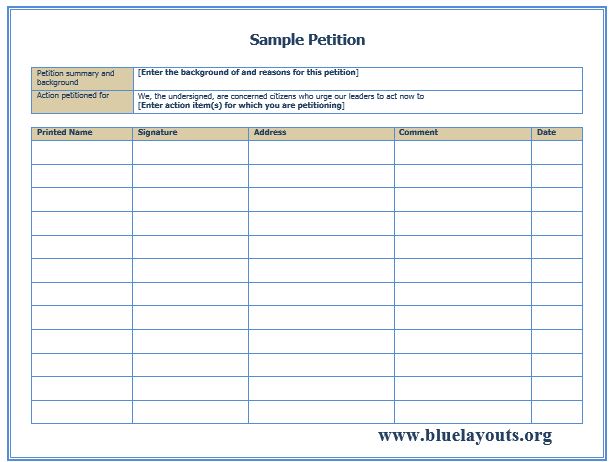
01. General Petition with Background and Requested Action
Includes a petition summary and background, an action statement, and fields for printed name, signature, address, comment, and date. A flexible starting layout for a group request.
How to adapt it: Write one clear request, replace the instructional prompts, and decide which supporter fields are necessary for your purpose.
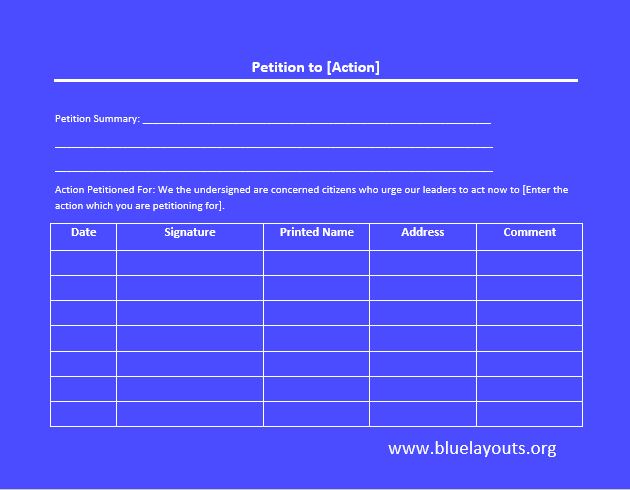
02. Action-Focused Petition with Signature Table
Provides a title built around the requested action, a summary, an action-petitioned-for statement, and a supporter table with date, signature, printed name, address, and comment.
How to adapt it: Name the recipient and explain the issue briefly. Keep the action wording consistent wherever it is repeated.
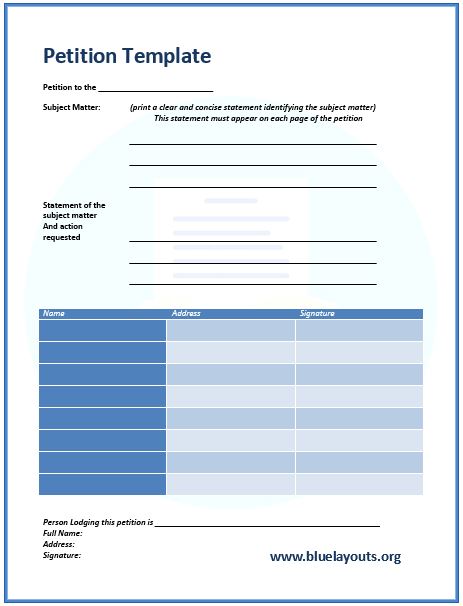
03. Petition with Principal Submitter Details
Includes recipient, subject matter, requested action, supporter name/address/signature fields, and details of the person lodging the petition. The sample asks for the subject statement on each page.
How to adapt it: Identify the submitter clearly and ensure continuation pages show the request people are supporting. Check any recipient-specific page requirements separately.
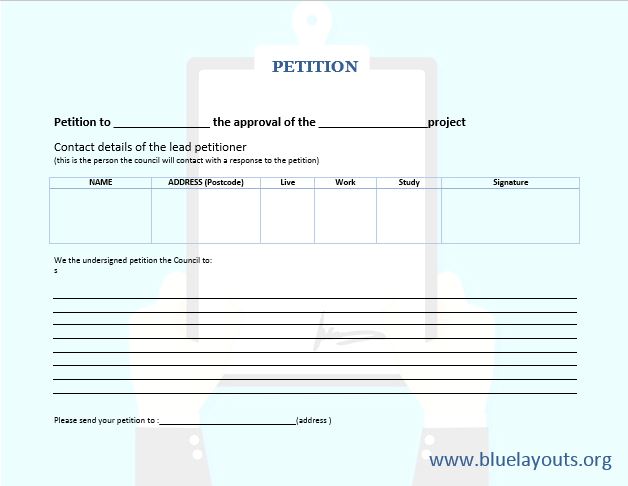
04. Council-Style Project Petition
A council-oriented form with project-related wording, lead petitioner details, a request statement, supporter information, and Live, Work, and Study fields.
How to adapt it: Resolve the opening wording so it states whether you support, oppose, or request a change to the project. Retain eligibility-related fields only when the recipient’s process calls for them.
05. Residents’ Petition with Argument and Request
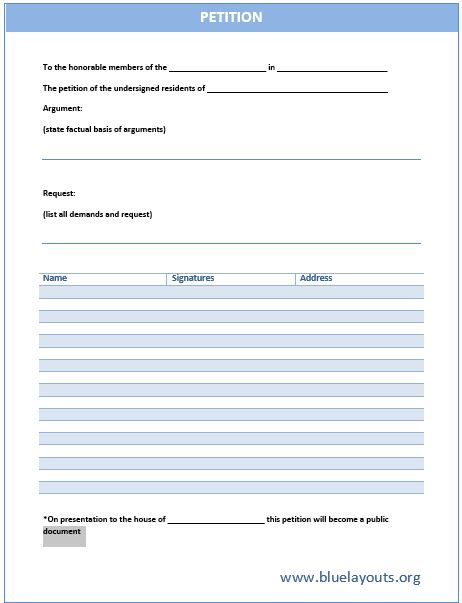
Separates a factual argument from the demands or requested action and includes name, signature, and address fields. It contains a sample notice about presentation making the petition public.
How to adapt it: Replace the assembly and location references. Confirm how the recipient handles publication and explain the actual process to prospective signers rather than assuming the sample notice applies.
06. Petition with Principal Petitioner and Return Details
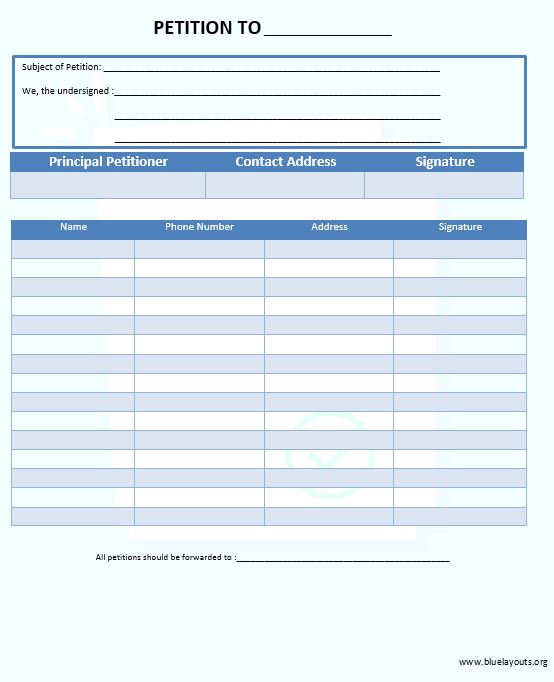
Includes subject, group statement, recipient, principal petitioner contact details, a supporter table with phone and address, and forwarding instructions.
How to adapt it: Complete the return destination and collection arrangements. Remove phone or address fields if they are unnecessary for the chosen process.
07. Short Request and Signature Sheet
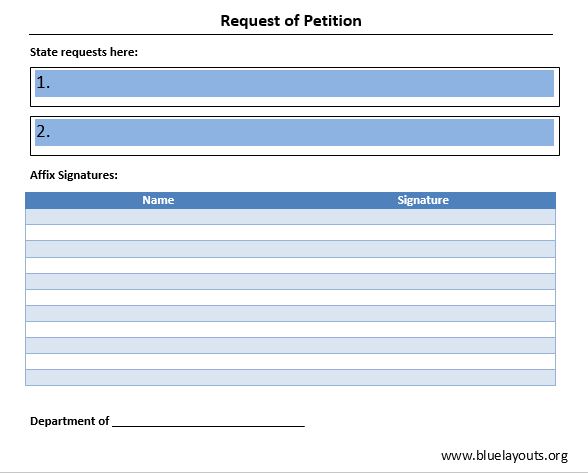
A concise form with space to state requests, a name-and-signature table, and a department reference. Useful for a short internal or organizational request.
How to adapt it: Identify the decision-maker and write the requested action above the signatures. Add a date and organizer contact if needed.
08. Local Referendum Petition Example
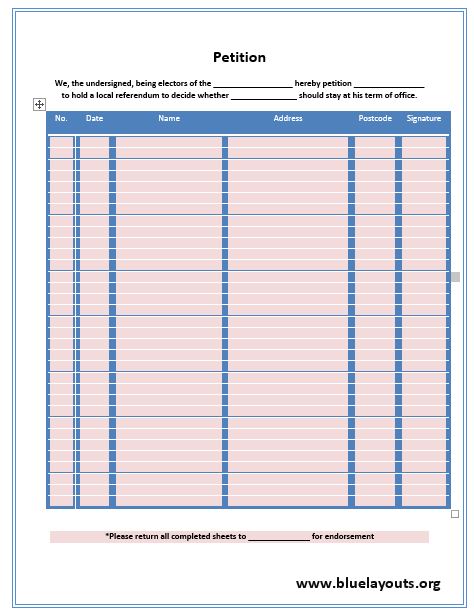
An example framed around electors requesting a local referendum concerning an officeholder, with date, name, address, postcode, and signature fields.
How to adapt it: This is a specialized example, not a verified official referendum or recall form. Obtain the current required form and instructions from the responsible authority before collecting signatures for that purpose.
09. Protest or Stoppage Request Example
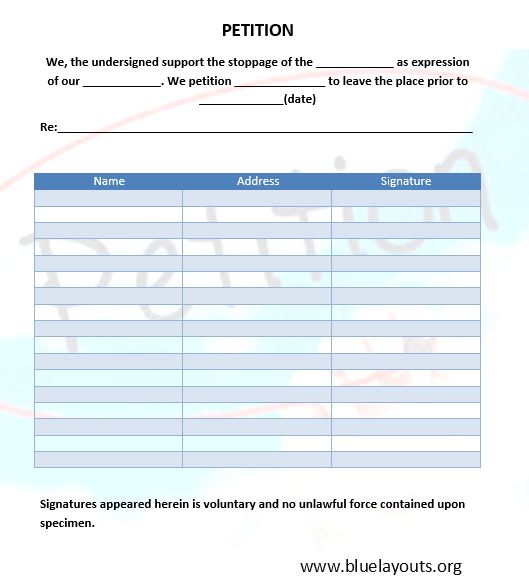
Contains sample stoppage wording, a request directed at a named recipient, a date, a subject reference, and name/address/signature fields.
How to adapt it: Rewrite the wording into a precise, factual request. Remove unclear or unsuitable statements and explain how signers’ information will be used.
10. Individual Petition to Faculty
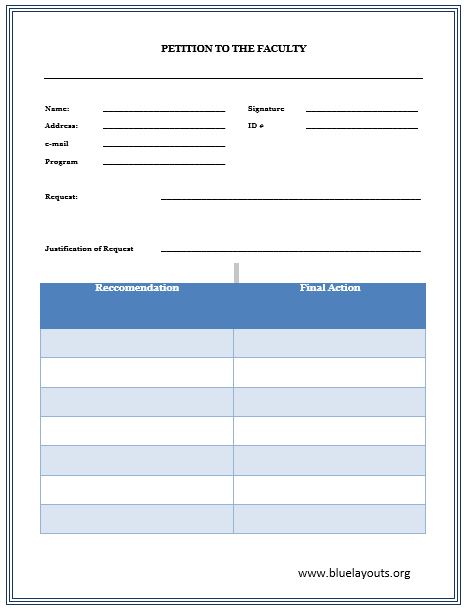
An individual academic request form with applicant details, ID, email, program, request, justification, recommendation, and final-action areas. It is not a group signature petition.
How to adapt it: Follow the institution’s current procedure. Add relevant supporting information and leave recommendation and decision fields to the appropriate reviewers.
How to Write a Clear Petition
- Identify who can act. Address the request to a person, department, board, or organization with responsibility for the issue.
- Check the receiving process. Before collecting signatures, confirm the submission route, required wording, signer information, eligibility rules, deadlines, and any prescribed form.
- Write a specific request. State what you want the recipient to do. Avoid combining unrelated demands that supporters may not all agree with.
- Explain the reasons briefly. Use verifiable facts and distinguish evidence from opinion. Link or refer to supporting material where helpful.
- Prepare the supporter fields. Include only the information needed for the chosen process and explain its intended use.
- Keep the statement visible. Make sure each signature sheet identifies the petition and the request. Finalize the wording before asking people to sign.
- Proofread and submit. Check the recipient, dates, attachments, and contact information. Keep a copy of the submitted version and record when and how it was delivered.
Example: A Community Library Request
This fictional example illustrates a general request rather than an official submission form.
Title: Request for a review of Saturday library opening hours
To: The library management board
Background: Local residents would like to discuss access to the library on Saturdays. The organizers propose collecting feedback about demand and practical scheduling options.
Requested action: We ask the board to review Saturday opening hours, consult library users and staff, and publish its response at the next scheduled public update.
Organizer: Add an appropriate contact route for questions and the response.
The request gives the recipient an identifiable action. Before circulating it, the organizers would check the board’s petition process and decide which supporter details it needs.
Collect Signatures and Personal Details Carefully
Explain who is organizing the petition, what the signature supports, who will receive the information, and whether the recipient may publish it. Check the recipient’s policy before making a promise of confidentiality.
Do not automatically retain every phone, address, or comment field in a sample. Follow the receiving process and collect only the information needed. Keep completed sheets under the organizer’s control, avoid posting unredacted signatures publicly, and establish how records will be stored and retained.
Do not change the substance of the request after people have signed it. If the proposal changes materially, prepare the new wording and seek support for that version.
Plan Follow-Up After Submission
A signature total records support; it does not guarantee approval, a hearing, or a particular response. Track the submission, any acknowledgement, questions from the recipient, and the next agreed step.
Use an action plan to assign preparation and follow-up work. If organizers meet to review progress, a meeting action items template can record tasks, owners, and due dates separately from the petition itself.
Frequently Asked Questions
Are these petition templates editable in Word?
Yes. All ten ZIP downloads contain .docx documents. Edit a working copy and check the final print layout after adding your text.
Which template is best for a general signature petition?
Templates 01 and 02 provide background, requested action, and supporter fields. Template 07 is a shorter request-and-signature layout. Choose according to the detail you need and the recipient’s instructions.
How many signatures do I need?
There is no single number for every petition. Check the applicable receiving process before collecting signatures; a campaign target is different from a formal submission threshold.
Can I use these for a court petition or election procedure?
Do not assume these general examples meet formal filing requirements. Use the current official form and instructions from the relevant court or authority, and obtain appropriate advice where needed.
Can people sign electronically?
Check what the recipient accepts. A Word signature table does not create an online petition service or establish that a typed name will be accepted for a particular procedure.
Is the faculty petition a group petition?
Template 10 is an individual academic request with recommendation and decision areas. It serves a different purpose from the group signature sheets.


