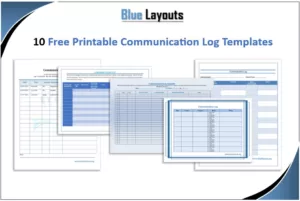
A call log records when a call happened, who spoke, why they called, what happened and who owns the next step. It helps a team return calls and pick up a conversation without relying on memory. Download a printable form for handwriting, an Excel sheet for sorting entries, or a Word document for a fuller account of each call.
The five options below come as ZIP downloads. Open the ZIP to access the PDF, XLSX or DOCX file shown beside each template.
Choose a call log template
| Template | Use it for | File inside ZIP |
|---|---|---|
| Simple printable call log | Handwritten calls on a basic form | |
| Daily call log sheet | Blank daily entries with actions and notes | XLSX |
| Excel call log with summary | Call type, duration, follow-up and a chart | XLSX |
| Customer service call log | Separate message and callback blocks | DOCX |
| Sales call log | A detailed contact history for one prospect | DOCX |
Simple printable call log (PDF)
Use this plain form when calls are recorded by hand. Its table gives space for the date, time, name, call duration and notes. Print extra copies as needed; add an owner and follow-up due date in the notes area if more than one person handles callbacks.

Download printable call log ZIP
Inside ZIP: PDF. Print and fill by hand.
Daily call log sheet (Excel)
This blank spreadsheet has columns for date, time of call, client name, nature of discussion, action to be taken and notes. It suits a receptionist or associate who needs one chronological list for the day. Replace the company, associate and logo placeholders before sharing it.

Inside ZIP: editable XLSX.
Excel call log with summary
This spreadsheet records start and end time, contact, call type, purpose and follow-up action. A summary area and chart appear above the log. It contains many illustrative personal and business calls; remove those sample rows and check the summary before entering real data.

Inside ZIP: editable XLSX with sample entries.
Customer service call log (Word)
This Word page uses separate blocks for individual service calls. Each block leaves room for call details, a message and a callback decision, so it is useful when an issue needs more context than one spreadsheet row. Replace the example client identity, contact details and filled calls before use.

Inside ZIP: editable DOCX with examples.
Sales call log (Word)
This layout follows calls with one prospect. It includes client and agent details, then dated rows for the action or outcome of each contact attempt. Use it to track a lead through a request for information, demo and later follow-up. Replace the sample names, phone numbers and notes.

Inside ZIP: editable DOCX with sample content.
What to record after a call
- Date, time and direction: Note when the call happened and whether it was incoming or outgoing. Add duration only if it helps with reporting.
- Contact and owner: Record the caller or organization and the staff member who handled it. Use a reference or case number where appropriate.
- Reason and outcome: Summarize the request and what was actually agreed or answered in neutral language. Distinguish a voicemail from a completed conversation.
- Next step: Name the person responsible, the action and its due date. Mark it complete when done.
Example call log entry
| Date and time | Contact | Reason and outcome | Next step |
|---|---|---|---|
| June 12, 10:15 a.m. | Jordan Lee, incoming call | Asked for an updated delivery date. Current estimate provided; final date still pending. | Maya to confirm with shipping and call Jordan by June 13 at 3 p.m. |
The example is fictional. Use only the contact details needed for the task, store logs where authorized staff can access them, and avoid placing sensitive personal or medical details in a shared general-purpose sheet. Move an issue to your approved customer, patient or case record when it needs formal handling.
Frequently asked questions
Should I use Word, Excel or PDF?
Choose Excel when you need to sort many calls or review follow-ups. Choose Word for a longer record about one customer or case. Use the PDF for a simple paper log.
How is a call log different from a communication log?
A call log covers phone conversations. A communication log can also cover emails, messages and meetings, so it fits a broader contact history.
What if a caller needs a callback?
Write the requested action, owner and due date while the call is fresh. Review open callbacks regularly and record when the call was returned or reassigned.
Do these templates record calls automatically?
No. They are files for manually entering call details. A completed log is a written summary of an interaction, not an audio recording or phone system report.