Use these 10 free printable communication log templates for Word to record calls, emails, meetings, letters, and follow-up conversations. Choose a business contact log, a school communication record, or a parent-contact layout according to the information you need to keep.
A useful entry explains who communicated, when it happened, what was discussed, and what needs to happen next. Keep summaries factual and connect follow-up actions with a responsible person and date.
Browse the 10 templates | Review useful fields | See an example entry
Download Free Communication Log Templates
Each ZIP contains a Word document. Templates 01, 03, 04, 07, and 10 use DOCX format; templates 02, 05, 06, 08, and 09 use DOC format. Extract your chosen file and save a working copy before editing.
Use the preview and description to select a layout, then adapt names, headings, contact methods, and reporting periods. Add follow-up fields where your selected form does not already provide them.
01. Business Communication Log with Direction and Activity
A DOCX table with date, time, contact information, a To/From direction entry, and an activity description, plus notes space. It includes sample business contacts and July 2021 entries. Replace those examples and the header contact details before recording your own communications.

02. Sponsor Communication Record
A landscape DOC layout with name and period fields and a table for contact information, communication type, organizational level, outcome, and description. The preview’s instructions refer to sponsor communications. Adapt that context when using it for another relationship.

03. School Administrator Communication Log
A DOCX layout with administrator and school-year fields, followed by date, person contacted, purpose, mode, and notes. It suits a school-level record of communications across different channels. Add follow-up ownership and deadlines when those need to be tracked.

04. Contact Log with Time and Notes
A landscape DOCX table with a name and date range, a check column, date, time, contact name, contact method, address or phone, and notes. Define what the checkmark means, such as entry reviewed, instead of assuming it represents a completed response.

05. Detailed Correspondence and Message Log
A DOC layout whose preview includes date of call, call time, communication type, contact name, telephone number, and a large notes area. The sample instructions refer to keeping messages and collection-related correspondence. Adapt them to your actual recordkeeping process.

06. Call-Focused Communication Log
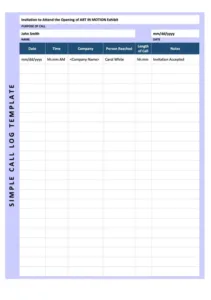
A landscape DOC table with name and period fields, time, person or company called, date, call length, and remarks. Choose this option when most entries are phone conversations and duration is useful. Define the duration unit and record whether contact was actually made.

07. Communication Log with Method Checkboxes
A DOCX table with date, person, purpose, mode, and notes. Each row offers meeting or conference, email, note or letter, and telephone checkboxes. Use it when you want a consistent way to identify the communication channel.

08. Teacher Parent Communication Log
A portrait DOC design with teacher-name space and date, time, student name, parent name, type of contact, and comments columns. It provides a class-level parent-contact record. Add a follow-up field or reference if a conversation creates an action.

09. Parent Contact and Volunteer-Hours Record
A DOC form with teacher, grade, classroom, and date fields, plus student name, date, phone calls, notes, and volunteer-hour columns. Keep the purpose of the volunteer field clear, or rename it if you only need a communication record.

10. Individual Student Parent Communication Record
A DOCX layout with contact-with, period, and student-name fields, plus contact-method choices, reason for contact, date, call length, and notes. It suits an ongoing record for one student or family. Clarify the repeated date and time labels to match your entry process.

Which Communication Log Should You Choose?
| Your purpose | Layouts to compare |
|---|---|
| A general business record across several channels | 01, 04, or 07. |
| Ongoing sponsor contact | 02. |
| Phone conversations with duration | 06, or 05 for more correspondence detail. |
| A school administrator’s contact record | 03. |
| Parent contact across a class | 08 or 09. |
| Repeated communications about one student | 10. |
For a reception desk that mainly takes messages and callbacks, compare the phone call sheet templates. A communication log is useful when you want calls and other contact methods in one chronological record.
What Should a Communication Log Include?
Use a consistent set of fields appropriate to your purpose. The following suggestions can be added to a selected layout; they are not all present in every download.
- Date and time: When the contact occurred, including a time zone when needed.
- Participants: The people involved and the staff member making the entry.
- Direction and channel: Incoming or outgoing, by phone, email, meeting, letter, or another defined method.
- Subject or reference: The order, project, student, or issue that connects the communication to its context.
- Outcome: What was confirmed, requested, decided, or left unresolved.
- Next action: A specific task, accountable owner, and due date.
- Supporting reference: A link or identifier for the relevant message or document stored through the organization’s process.
Keep contact details only where they are needed. A record reference can be more useful than repeatedly copying the same address and phone number into every row.
How to Complete a Communication Log
- Define the scope. Decide whether the document covers a person, family, project, department, or reporting period.
- Record the interaction promptly. Add the date, channel, participants, and subject while the details are clear.
- Separate contact attempts from conversations. “Voicemail left” and “delivery date confirmed by phone” describe different outcomes.
- Summarize the relevant facts. Record what was said or agreed without adding unsupported conclusions about a person’s intentions.
- Assign follow-up. Identify what must happen, who owns it, and by when. Add columns or use a clearly labeled notes convention.
- Update the outcome. Record completed follow-up or a new communication as a dated entry, keeping the sequence understandable.
When a meeting creates several tasks, use a separate meeting action items list and reference it from the communication record. This keeps the log concise while preserving ownership and deadlines.
Communication Log Example
This fictional business example shows how an entry can connect a conversation with a follow-up action. The action and status fields are suggested additions to a basic log.
| Field | Illustrative entry |
|---|---|
| Date and time | 12 November [Year], 10:15 a.m. |
| Channel and direction | Outgoing phone call. |
| Contact | Alex Example, Example Supplier. |
| Reference | Order PO-104. |
| Summary | Supplier confirmed the item is available. Dispatch date remains unconfirmed pending warehouse scheduling. |
| Next action | Sam to request written dispatch confirmation by 13 November. |
| Status | Awaiting confirmation. |
| Supporting record | Order folder PO-104; call note dated 12 November. |
The entry distinguishes confirmed availability from an unconfirmed dispatch date. “Spoke to supplier; all sorted” would hide the outstanding issue and make later follow-up harder.
Using a Parent Communication Log
For school records, identify the student and the parent or guardian involved, the contact method, the purpose, and the agreed next step. Keep observations and reported statements distinguishable. For example, “Parent reported difficulty accessing the assignment portal” explains the source of the information.
Record the response and follow-up accurately, such as “Teacher will resend access instructions through the approved school channel by [date].” Keep detailed student records in the school’s designated location rather than adding unnecessary personal information to a widely shared class log.
If the school needs a separate acknowledgment of a notice, the parent sign-off forms offer layouts to adapt. Describe what the signature acknowledges; a contact entry and a signed acknowledgment serve different purposes.
Keep Entries Clear and Easy to Review
- Use specific names or approved identifiers so readers can distinguish contacts.
- Explain abbreviations that the intended readers may not know.
- Use dates instead of relative wording such as “tomorrow” or “last week.”
- State whether a response is awaited, received, or no longer required.
- Reference relevant source messages without treating the summary as their replacement.
- Make later corrections identifiable rather than silently changing the meaning of an earlier entry.
Communication volume alone does not establish service quality or employee performance. A short exchange may resolve an issue, while several attempts may still leave it open. Review outcomes and context alongside counts or durations.
Editing, Printing, and Keeping the Record
Replace sample names, addresses, dates, and instructions. Add a clear document title, reporting period, and record owner. If a checkbox appears in the layout, define what it means; it may simply be a printable symbol rather than an interactive control.
Give longer notes enough row space and repeat table headings on continuation pages where useful. Check the paper size, margins, and page breaks before printing or exporting a PDF. Keep one designated working copy and share completed records only with the people who need them.
Frequently Asked Questions
What file formats are included?
The 10 ZIP archives contain five DOCX and five DOC documents for Word. Extract your chosen file before opening it.
Which template is best for general business communication?
Compare 01, 04, and 07. They provide general contact or activity fields that can be adapted for business use. Add the action owner and follow-up date if needed.
Which templates focus on parent communication?
Templates 08, 09, and 10 have parent or student-related fields. Template 03 is oriented toward school administrators.
Do these logs automatically record calls or emails?
The files are manually maintained Word documents. Enter interactions and updates yourself; they do not connect to your inbox, record calls, or send reminders.
Can I record an unanswered call?
Yes. Label it as an attempt and state the outcome, such as “No answer” or “Voicemail left.” Do not imply a conversation or agreement occurred.
Can I print a blank log or export a PDF?
Yes. Customize the fields, check the page layout, and print or export from Word. The supplied archives contain Word files.