Make household responsibilities easier to see with these free printable chore chart templates for Word. Choose an individual daily and weekly chart, a room-based cleaning plan or a children’s points chart, then add the tasks, names and dates that fit your household.
The three ZIP downloads contain editable DOCX documents. Print a copy to mark by hand or edit the chart in Word. These are planning layouts: they do not send reminders, calculate rewards automatically or decide which tasks are suitable for a particular child.
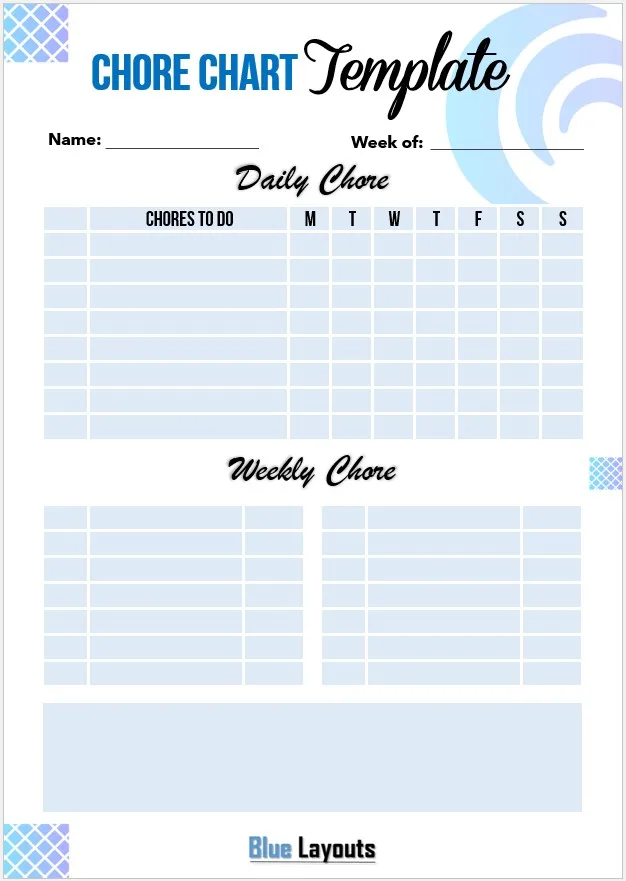
Name, week-of field, seven day initials and separate daily/weekly sections
One person’s recurring tasks.
02: Room-based cleaning chart
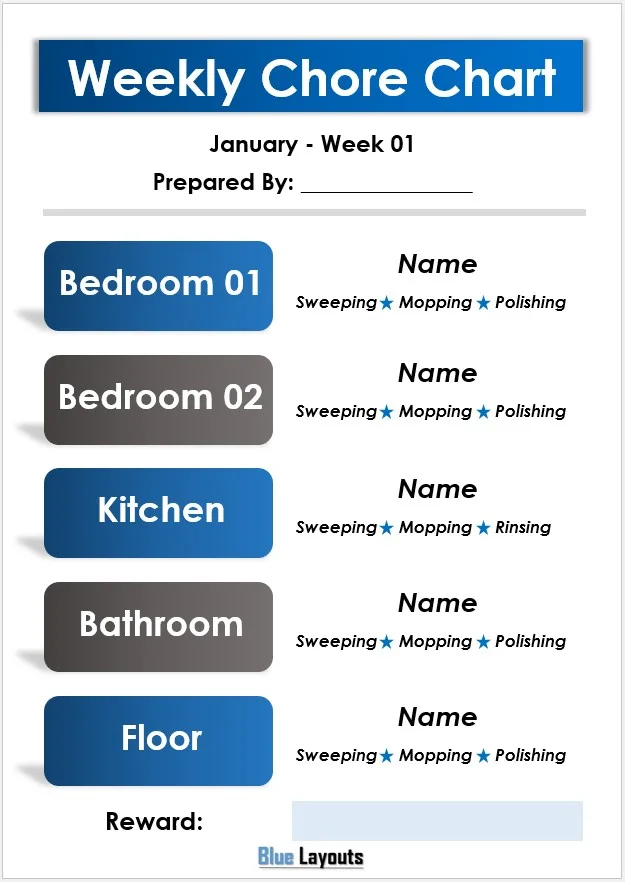
Rooms, name fields, sample cleaning tasks, prepared-by and reward areas
Assigning responsibility by household area.
03: Children’s points chart
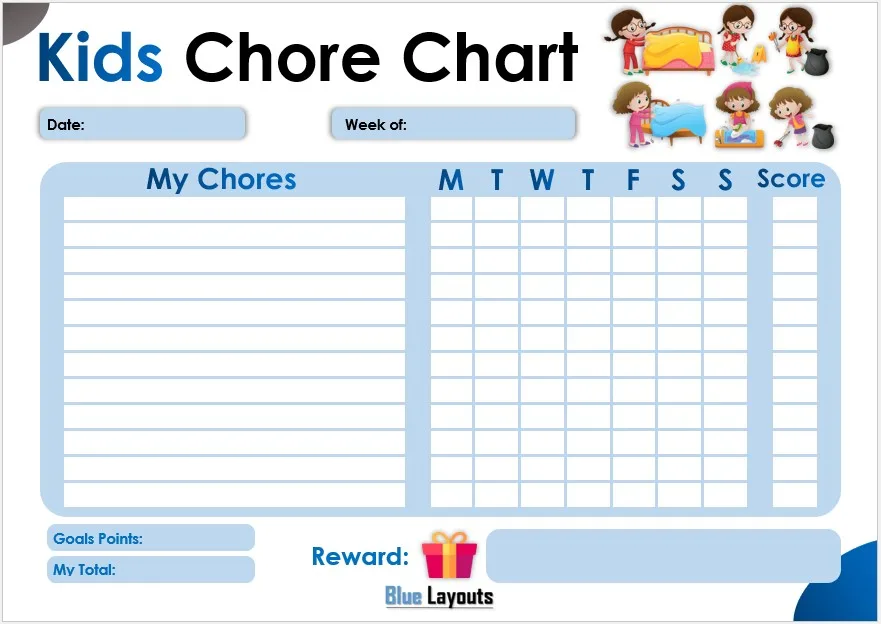
Date, week, chore/day grid, score, total, goal-points and reward fields
A clearly defined points-based routine.
Download editable chore chart templates
Extract the ZIP and open the DOCX in Microsoft Word. Save a clean master and create a separate copy for each person or week. The files contain repeated text elements, so check the whole document after replacing headings and sample labels.
01. Individual Daily and Weekly Chore Chart
Includes name and week-of fields, a daily chore table with Monday-to-Sunday initials, and a separate weekly chore section. Use it to distinguish tasks repeated on scheduled days from jobs done once during the week.
Before using it: Write the actual week-start date and define when each task is due. Spell out the day headings if the repeated T and S initials could confuse the reader. Mark days when a task is not scheduled rather than leaving them indistinguishable from missed work.
Organizes household areas including bedrooms, floor, bathroom and kitchen, with name fields and sample sweeping, mopping, polishing and rinsing tasks. It also has prepared-by and reward areas.
Before using it: Replace the fixed “January – Week 01” heading with the correct date range. Adapt the room names and task labels to your home. Clarify frequency and completion checks; room headings alone do not say which day a job should be done or who will check it.
Provides date and week-of fields, a chore/day grid, score, total, goal-points and reward areas. Use it when you want an agreed points system alongside a visible task list.
Before using it: Write a clear scoring rule before using it: points per eligible task, scheduled days, who checks completion and the reward threshold. Check the day headings and totals manually. The Word file does not calculate points or provide a verified age-based task plan.
How to set up a chore chart that is easy to follow
List the work that needs doing. Separate recurring daily jobs from weekly or occasional cleaning. Include only the tasks you intend to schedule.
Assign an owner. Write a name beside each task or give each person a separate chart. Shared work still needs a clear agreement about who does which part.
Make the task specific. Replace “Clean room” with a short instruction such as “Put clothes in the hamper and return books to the shelf.”
Choose the frequency. State the scheduled days or a weekly deadline. Not every chore needs seven completion marks.
Agree what finished means. Describe a visible result and how to record help, postponement or an unscheduled day.
Review the workload. Match responsibilities to ability, availability and the support needed. Adjust assignments after trying the chart.
Reset the chart. Review the week, retain any useful notes and prepare the next copy with the correct dates.
When a task involves household shopping, keep the detailed purchases in a printable grocery list. The chore chart can identify who prepares or checks the list without becoming a second, conflicting shopping record.
Example household chore plan
This fictional example shows how to name an owner, schedule the task and define the result. Assignments are illustrative, not age recommendations.
Task
Owner
When
Completion check
Put books and stationery away
Jamie
Monday–Friday after study time
Desk surface clear; items returned to their places.
Put worn clothes in the hamper
Sam
Each evening
Clothes moved from the floor to the hamper.
Check household shopping needs
Alex
Friday before the shop
Existing supplies checked and quantities added to the shared list.
Fold and put away towels
Jamie and Alex
Saturday after laundry
Jamie folds; Alex checks and stores them.
For a paper chart, you could use a tick for completed, a dash for not scheduled and a short note when a task is moved. Define those marks before the week starts so blank cells are not interpreted differently by each person.
How to use the points and reward fields
If using Template 03, agree on a simple rule and write it on the chart. For example, one completed task earns one point after the agreed check. Decide how assisted tasks or changes to the schedule will be handled before totaling the week.
In an illustrative plan with three tasks scheduled on five days, there are 15 possible task completions. At one point each, 12 completed tasks earn 12 points. If the agreed reward threshold is 12, that meets the threshold. This is an example rule you supply, not a calculation built into the download.
Do not count unscheduled tasks as missed work, and avoid changing the rules after the week is finished. You can also leave reward fields blank or rename them “Weekly review” if a points system does not suit the household.
Adapt the chart for children or shared adult households
For children, start with clear instructions and demonstrate unfamiliar tasks. Choose responsibilities according to the individual child and the supervision needed rather than assuming every task in a template is suitable. Keep hazardous products and equipment under appropriate adult control.
For adults or housemates, emphasize responsibility, frequency and handovers. Rename “Reward” to “Notes” if appropriate, and distinguish one person’s job from work shared by the group. A room-based assignment can be rotated, but record when the rotation changes.
If the household wants to establish one specific routine, a SMART goal worksheet can help define the result and review date. Keep broader goals separate from the daily completion marks.
Keep chores and other routines clear
A chart works best when the labels match the activity. You can add a reading reminder, but use a separate reading log when you want to record books, minutes or reflections. A tick beside “Reading time” does not capture those details.
Review tasks that repeatedly remain unfinished. The instruction may be unclear, the timing impractical or assistance needed. Change the plan deliberately and date the next version so everyone works from the same agreement.
Editing and printing tips
Replace sample headings, room names and dates throughout the file.
Use readable task labels and leave enough space for ticks or notes.
Add rows only if the page remains easy to read; use another page rather than shrinking text excessively.
Check the page size, orientation and print preview after editing.
Export a PDF if you want a fixed copy, keeping the editable Word master for next week.
Frequently asked questions
Are these chore charts editable?
Yes. Each ZIP contains a Word DOCX document. Edit the names, tasks, dates and labels, or print a blank version to complete by hand.
Which template includes daily and weekly chores?
Template 01 has separate daily and weekly sections, with a seven-day daily grid. It is a useful starting point for one person’s routine.
Can I use a chart for a whole family?
Template 02 includes room and name fields that can support household assignments. You can also print separate copies of Template 01 for different people and coordinate shared tasks.
Do I have to use rewards?
No. Leave the reward field blank or rename it. If using rewards, agree on the scoring and threshold before starting rather than assuming the template supplies the rules.
Are PDF or Excel versions included?
The downloads contain Word files, not separate PDFs or Excel workbooks. You can export an edited document to PDF. No verified automatic point calculations are included.
Can I reuse the chart each week?
Yes. Keep a clean master, update the week/date fields and review assignments before printing the next copy. Save completed weeks separately if you want a record.